
SOBRE ESTE EPISÓDIO

Red Thread Toolbox by Jenna Redfield is a reader-supported publication. To receive new posts and support my work, consider becoming a free or paid subscriber.
Your Next Best Idea Is Already in Your Archive
The GOLD MINE framework for finding content ideas in your own stories, sayings, and old posts
The question I get asked more than any other is some version of: “What should I even make content about?”
And I get it. Staring at a blank page and trying to come up with something brand new, every single week, is exhausting. If you have ADHD, it’s worse. The ideas are there. They just aren’t there on demand, at 9am on a Tuesday when you’ve blocked time to write.
Before I forget, join us this Wednesday at 12pm CST on Zoom for my monthly marketing workshop on my paid substack zoom all about being Camera Ready!
You know video could help grow your business—but what do you say, where do you start, and how do you turn views into actual clients?
Join Jenna Redfield for Camera Ready, a practical workshop on getting started with video content that helps people understand what you do, trust your expertise, and take the next step toward working with you.
We’ll cover:
* What to talk about: Turn your expertise and your clients’ questions into video ideas.
* How to get started: Keep your setup simple and feel more comfortable on camera.
* What makes a video useful for your business: Connect your content to the problems you solve.
* How to invite the next step: Use clear calls to action that feel natural.
This workshop is for business owners, freelancers, coaches, and service providers who are ready to stop overthinking video and start creating with purpose.
No fancy equipment or previous video experience needed. Bring your questions, something to take notes with, and an idea of who you want to reach.
Not a member? Pay $10 for tix
If you are a member, get the link here
Here’s the linkhttps://luma.com/k56mrlod?coupon=OCTFREE
This post has bonus content for paid subscribers. Upgrade to get full access.
Here’s the reframe that changed how I work:
Most of us don’t have an ideas problem. We have a retrieval problem.
You’ve already told the stories. You’ve already explained the concept to a client three times this month. You’ve already posted the thing that did surprisingly well two years ago. The ideas exist. They’re just scattered across your memory, your inbox, your meeting notes, and your old posts.
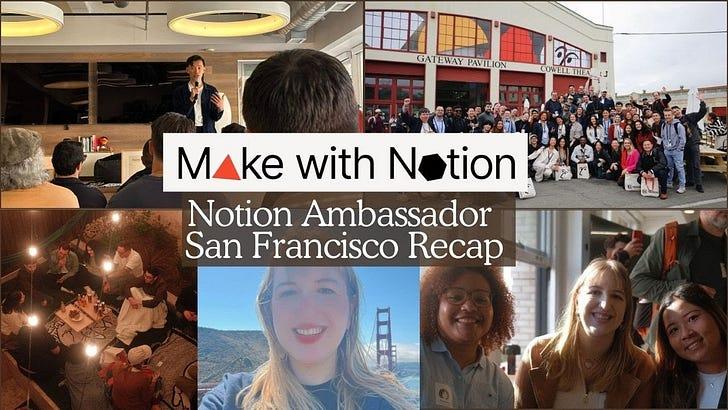
I just got back from the Notion Ambassador Summit, where I spoke on the content panel. Somewhere in the middle of that trip, I realized something: I’ve made so many videos about Notion over the years, but I’ve never actually shown how I use my old content to make new content.
So today, I’m sharing the system I’ve been quietly building for a while, and finally gave a name: the GOLD MINE framework.
The framework at a glance
It comes in two halves:
* MINE is where you dig. Four places your ideas are already hiding.
* GOLD is what you do with what you find. Four steps to turn raw material into a published post.
Let’s start with where to dig.
Part 1: MINE — Where your ideas are hiding
M — Models
These are the frameworks, methods, and systems you’ve created.
If you’ve never made a framework before, this is your sign to start. One of my favorite things to do as a business owner is name things. Give a process a title or an acronym, and suddenly it’s something you can teach, reference, and build content around.
A few of mine: my 13 Pillars system, my REPEAT method, and now this one, GOLD MINE (which I built with a little help from AI). I keep every single one in a Notion database. I don’t use all of them. But any time I come up with a good one, it goes on the list, and later I’ll look at it and think, oh, that should be a video.
Ask yourself: What do I explain the same way every time? That’s a model waiting for a name.
I — Insights
I call these my Jennaisms. They’re the things I say all the time: phrases, perspectives, lessons learned, patterns I keep noticing.
One of mine is “I think in content.” It means that in almost every conversation, part of my brain is asking, could this be a LinkedIn post? And once you start listening for content in other people’s conversations, you start noticing what you keep saying, too.
How to collect them: Ask AI to go through your past meeting notes or emails and pull out phrases you repeat or quotes you’ve said. You’ll be surprised how consistent you are.
N — Narratives
These are your stories. Things that happened to you, things that happened with clients, lessons you learned the hard way.
Some stories are just stories, and that’s okay. Keep them on the list anyway. A story that isn’t content today might be the perfect throwback or example six months from now.
I have a lot of these. I like having lore. So I’ll ask you the same thing I ask myself: what’s your lore?
How to collect them: Scroll back through your old social posts and note any story you’ve told. You can also screenshot your posts (or give AI access to your account) and ask it to pull out every story you’ve shared, then add each one to your database.
E — Existing content
This is probably the biggest category: everything you’ve already published. Social posts, YouTube videos, podcast episodes, podcasts you’ve guested on.
The key here is transcripts. Once your content exists as text, Notion (and AI) can actually read it, search it, and pull from it.
Here’s what I did recently: I took every one of my old podcast episodes, ran the audio through a tool called Whisper Transcription, dropped the transcript into Notion, and asked Notion AI to turn it into a meeting note. Now every episode I’ve ever recorded is searchable inside my workspace. If I need to find something I said in 2024, I just ask.
This is incredibly valuable if you’ve been creating for a while. And if you’re just starting out? Even better. Set it up now, and you’ll never have to go back and do it all at once.
Part 2: GOLD — What to do with what you find
Now that you know where to dig, here’s how to actually turn it into content.
G — Gather
Creating the four databases is step zero. Now you have to fill them.
This used to take forever. AI speeds it up a lot. If you use Claude connected to Notion, or Notion AI directly, you can have it search your emails, notes, and published content and add entries for you. (I’ve been using Notion AI a lot more lately. It’s gotten really good at finding things across my pages.)
You don’t need to gather everything at once. Start with one idea, one thought, one story.
O — Organize
Next, decide what that idea is going to become.
I keep two kinds of databases:
* Archive databases for everything I’ve already posted
* Idea databases for everything I might post
When something moves from your MINE into an idea database, give it a little structure:
* Format: Is this a YouTube video? An Instagram post? A newsletter?
* Pillar: Which content pillar does it belong to?
* Goal: Is it meant to grow your audience, or to nurture the people already here?
That’s it. Three decisions, and future-you knows exactly what to do with it.
L — Level up
This is where repurposing gets fun.
If something has already done well, it’s probably going to do well again. It means the topic matters to people, and you probably explained it clearly. So instead of reinventing it, remix it.
Aim for about 80% the same, 20% new. Same lesson, different angle:
* A new hook
* A different story that teaches the same point
* A different format (turn a reel into a carousel, or a carousel into a reel)
AI is great at this step. Try a prompt like:
“Here’s a post that performed well for me. Give me 10 new hooks for the same idea, and 5 ways to turn it into a different type of content.”
D — Deploy
The final step is the one most people skip: actually post it.
Here’s the mindset shift that makes this easier: every piece of content is an experiment. You genuinely don’t know what’s going to work until it’s out there. If you treat each post as a test, you can’t really fail. You either get a result you like, or you learn something.
Didn’t land? Maybe it was the hook. Maybe it was the thumbnail. Adjust and try again.
I’ve been surprised by my own results plenty of times. My Google Photos videos on YouTube consistently do well, which I did not see coming. It turns out there isn’t much competition on that topic, and I genuinely love Google Photos, so I keep making them. Meanwhile, my vision board video? Not so much. So that one’s not getting a sequel.
I only know that because I sorted my YouTube archive by views. (My 20,000 to 100,000 view videos have their own group. That’s where I look first when I want a reliable idea.)
Want it already built?
Everything I showed you lives inside my TABStack Notion template. It now includes the full content channel with the four MINE databases (Models, Insights, Narratives, and Existing Content) preloaded and linked together, plus the archive and idea databases I use in my own business.
It’s $50, and it’s the same system I use every day.
Talk soon,
Jenna