


1
00:00:02,700 --> 00:00:05,250
What if I told you you can
now spin up a SQL database
2
00:00:05,250 --> 00:00:07,650
in seconds that is seamlessly connected
3
00:00:07,650 --> 00:00:09,930
to operational and analytical data
4
00:00:09,930 --> 00:00:12,060
sitting across multiple clouds,
5
00:00:12,060 --> 00:00:14,760
has built-in vector support for search,
6
00:00:14,760 --> 00:00:18,060
autonomously scales and
tunes itself to meet demand,
7
00:00:18,060 --> 00:00:19,410
and is integrated with AI
8
00:00:19,410 --> 00:00:20,880
for easy querying and troubleshooting?
9
00:00:20,880 --> 00:00:22,890
Well, today, we'll take a closer look
10
00:00:22,890 --> 00:00:24,420
at a new class of databases
11
00:00:24,420 --> 00:00:27,360
that's part of Microsoft's
data and analytics platform,
12
00:00:27,360 --> 00:00:30,060
Microsoft Fabric, that does just that
13
00:00:30,060 --> 00:00:32,190
as you build modern AI apps.
14
00:00:32,190 --> 00:00:34,230
And joining me to unpack
all this is Anna Hoffman
15
00:00:34,230 --> 00:00:36,090
from the SQL Engineering Team, welcome.
16
00:00:36,090 --> 00:00:37,290
- Thanks for having me on the show,
17
00:00:37,290 --> 00:00:38,766
- And thanks so much for joining us today.
18
00:00:38,766 --> 00:00:41,100
So we have a new class
of autonomous database
19
00:00:41,100 --> 00:00:43,890
with Microsoft Fabric, so
what's behind all this?
20
00:00:43,890 --> 00:00:46,650
- It's really a significant
leap forward for databases.
21
00:00:46,650 --> 00:00:48,540
Of course, every app needs data
22
00:00:48,540 --> 00:00:51,930
and Microsoft Fabric by design
makes data more accessible,
23
00:00:51,930 --> 00:00:54,600
whether that's operational
or analytical data
24
00:00:54,600 --> 00:00:56,760
from across your data estate.
25
00:00:56,760 --> 00:00:58,440
Now, anyone using Fabric
26
00:00:58,440 --> 00:01:01,380
without being a database
or infrastructure expert
27
00:01:01,380 --> 00:01:04,140
can add a database that's
automatically integrated
28
00:01:04,140 --> 00:01:05,430
with a Fabric platform
29
00:01:05,430 --> 00:01:07,320
so you can build more powerful
30
00:01:07,320 --> 00:01:09,630
and data-rich apps for analytics.
31
00:01:09,630 --> 00:01:12,150
- And this is different from
current PaaS databases, right?
32
00:01:12,150 --> 00:01:14,310
While those can automatically scale,
33
00:01:14,310 --> 00:01:16,890
there's often some bit of
manual expertise needed
34
00:01:16,890 --> 00:01:19,080
to configure and also tune
35
00:01:19,080 --> 00:01:21,090
and optimize the
performance of those, right?
36
00:01:21,090 --> 00:01:22,620
- Right, this is totally different.
37
00:01:22,620 --> 00:01:26,370
This new class of database
in Fabric is autonomous,
38
00:01:26,370 --> 00:01:27,930
and beyond automatic scale,
39
00:01:27,930 --> 00:01:29,880
they handle everything from provisioning
40
00:01:29,880 --> 00:01:32,130
along with index tuning,
41
00:01:32,130 --> 00:01:34,650
applying best practice security controls,
42
00:01:34,650 --> 00:01:36,150
automatic updates,
43
00:01:36,150 --> 00:01:38,400
and using multiple availability zones
44
00:01:38,400 --> 00:01:40,650
by default for high availability,
45
00:01:40,650 --> 00:01:42,750
which means there's less manual burden
46
00:01:42,750 --> 00:01:44,790
and you can focus on
just building your app.
47
00:01:44,790 --> 00:01:47,100
- And the first autonomous
database here in this case
48
00:01:47,100 --> 00:01:48,732
is a SQL relational database.
49
00:01:48,732 --> 00:01:49,950
So how easy is it
50
00:01:49,950 --> 00:01:51,720
to spin up one of these
if you're a developer?
51
00:01:51,720 --> 00:01:53,444
- Oh, it's super easy.
52
00:01:53,444 --> 00:01:55,320
One of the standout capabilities
53
00:01:55,320 --> 00:01:58,770
of autonomous SQL databases
in Fabric is their simplicity.
54
00:01:58,770 --> 00:02:00,660
You can spin one up in seconds.
55
00:02:00,660 --> 00:02:02,340
This lets you focus on building apps
56
00:02:02,340 --> 00:02:04,320
rather than managing a database.
57
00:02:04,320 --> 00:02:05,850
Let me show you.
58
00:02:05,850 --> 00:02:07,485
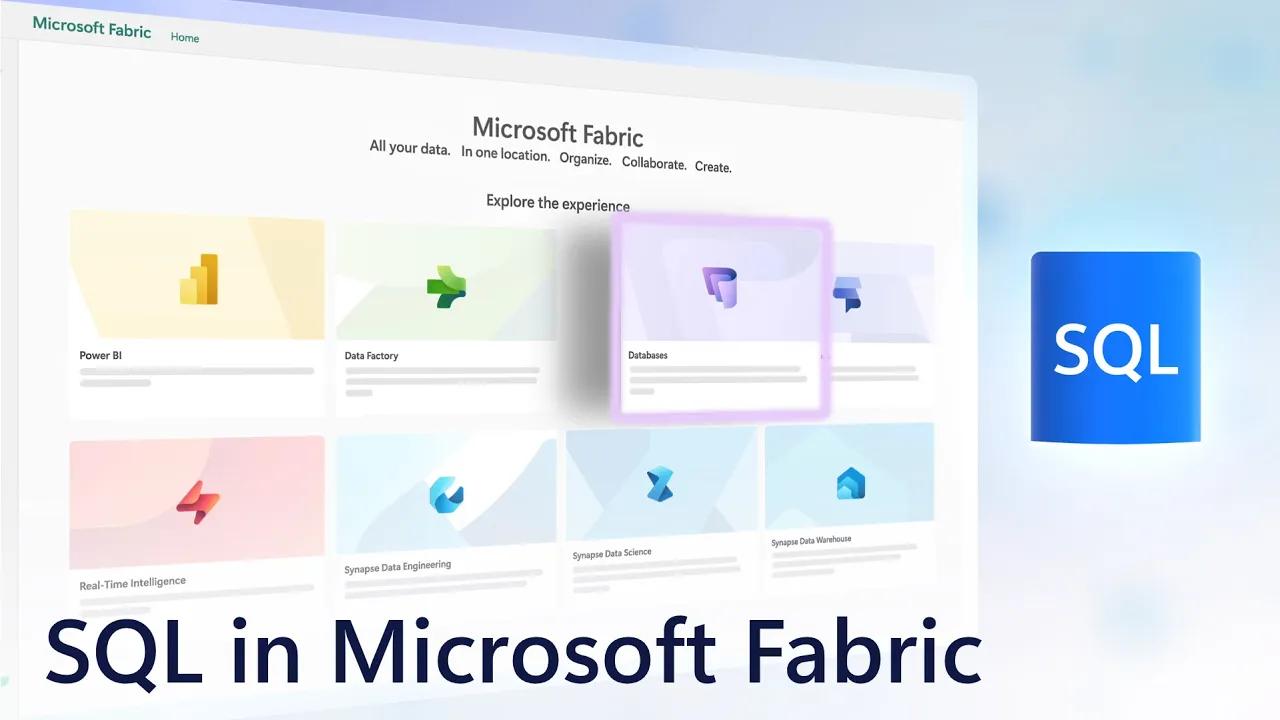
I'm in the Fabric home experience
59
00:02:07,485 --> 00:02:10,050
where you can see the
different workloads in Fabric,
60
00:02:10,050 --> 00:02:12,390
which now includes databases,
61
00:02:12,390 --> 00:02:15,480
and you'll see the
option for SQL databases.
62
00:02:15,480 --> 00:02:17,460
And as we mentioned, SQL
is the first database
63
00:02:17,460 --> 00:02:19,620
to land in Fabric with more on the way.
64
00:02:19,620 --> 00:02:21,630
To create one, I'll just give it a name,
65
00:02:21,630 --> 00:02:24,330
I'll call this Dev and hit Create,
66
00:02:24,330 --> 00:02:27,960
and in seconds, I have a
SQL database ready to go.
67
00:02:27,960 --> 00:02:29,340
We land in the editor
68
00:02:29,340 --> 00:02:32,550
and on the left you can see
the familiar Object Explorer.
69
00:02:32,550 --> 00:02:34,710
You can see it's currently empty.
70
00:02:34,710 --> 00:02:37,140
To get data, I can create data flows
71
00:02:37,140 --> 00:02:41,250
or a pipeline to bring external
data in right from here.
72
00:02:41,250 --> 00:02:43,020
I can also create shortcuts.
73
00:02:43,020 --> 00:02:44,430
This doesn't move the data,
74
00:02:44,430 --> 00:02:45,570
but it gives the ability
75
00:02:45,570 --> 00:02:48,420
to query other data sources, like OneLake,
76
00:02:48,420 --> 00:02:51,930
and even external source
options like Amazon S3 buckets,
77
00:02:51,930 --> 00:02:54,060
Azure Data Lake storage and more.
78
00:02:54,060 --> 00:02:55,860
And from the quick actions in the center,
79
00:02:55,860 --> 00:02:58,110
I can see options to get started quickly.
80
00:02:58,110 --> 00:03:01,140
I'm going to start by
importing some sample data.
81
00:03:01,140 --> 00:03:02,880
Once my sample data is ready,
82
00:03:02,880 --> 00:03:04,140
I can expand my tables
83
00:03:04,140 --> 00:03:06,000
and you can see the data structure.
84
00:03:06,000 --> 00:03:07,560
I can open up my product table
85
00:03:07,560 --> 00:03:09,510
to get a data preview and that's it.
86
00:03:09,510 --> 00:03:11,430
- Okay, so now you've
got your database set up.
87
00:03:11,430 --> 00:03:13,650
How would you work with
that as part of your app?
88
00:03:13,650 --> 00:03:16,260
- Yeah, of course, you
can do this using T-SQL,
89
00:03:16,260 --> 00:03:17,910
that's fully supported.
90
00:03:17,910 --> 00:03:19,740
But what can be more powerful and flexible
91
00:03:19,740 --> 00:03:22,380
is using APIs to read and write this data.
92
00:03:22,380 --> 00:03:25,668
Databases in Fabric are the
first to let you directly create
93
00:03:25,668 --> 00:03:29,880
and host an API endpoint
to your data in one click.
94
00:03:29,880 --> 00:03:31,050
Let me show you.
95
00:03:31,050 --> 00:03:32,250
Here in the top ribbon,
96
00:03:32,250 --> 00:03:33,660
I have some new options
97
00:03:33,660 --> 00:03:36,210
to create a new query, access templates,
98
00:03:36,210 --> 00:03:38,460
or create a new GraphQL API.
99
00:03:38,460 --> 00:03:41,700
I'll do that, name it
api1, and then confirm.
100
00:03:41,700 --> 00:03:42,900
Here in Choose data,
101
00:03:42,900 --> 00:03:46,920
I can select the tables that I
want to be exposed in my API.
102
00:03:46,920 --> 00:03:49,470
I can see a preview for
the tables I select,
103
00:03:49,470 --> 00:03:52,710
then I just select Load
and it just takes a moment.
104
00:03:52,710 --> 00:03:54,630
It takes me to the GraphQL playground
105
00:03:54,630 --> 00:03:56,340
where I can start writing queries.
106
00:03:56,340 --> 00:03:58,530
I'm going to paste in
a query I wrote before,
107
00:03:58,530 --> 00:03:59,970
then go ahead and run it.
108
00:03:59,970 --> 00:04:02,040
Now choose to Generate code.
109
00:04:02,040 --> 00:04:03,180
This part's really powerful
110
00:04:03,180 --> 00:04:04,470
because this Python code
111
00:04:04,470 --> 00:04:07,020
I can use to interact
directly from my app.
112
00:04:07,020 --> 00:04:09,090
I'm going to go ahead
and copy this sample,
113
00:04:09,090 --> 00:04:11,850
and from there, I can move
over to my dev environment,
114
00:04:11,850 --> 00:04:14,250
in this case VS Code, and paste it in,
115
00:04:14,250 --> 00:04:15,930
can run it right from here.
116
00:04:15,930 --> 00:04:18,210
And in the terminal, you'll
see that it just works
117
00:04:18,210 --> 00:04:20,160
and it's printed the results of my query.
118
00:04:20,160 --> 00:04:22,560
So if you work in React or
other front end frameworks
119
00:04:22,560 --> 00:04:25,050
and are using APIs, as a developer,
120
00:04:25,050 --> 00:04:27,330
you don't need to build
intermediary services
121
00:04:27,330 --> 00:04:29,490
or install drivers to work with this data.
122
00:04:29,490 --> 00:04:31,530
- Okay, so it's a really
streamlined dev experience,
123
00:04:31,530 --> 00:04:33,510
but from a SQL perspective,
124
00:04:33,510 --> 00:04:35,490
is the SQL database that's in Fabric
125
00:04:35,490 --> 00:04:36,720
the same one that we're used to
126
00:04:36,720 --> 00:04:38,190
from a developer's perspective?
127
00:04:38,190 --> 00:04:39,023
- Yeah, great question.
128
00:04:39,023 --> 00:04:41,430
So this is the exact same SQL server
129
00:04:41,430 --> 00:04:44,010
in Azure SQL database
engine, it's familiar,
130
00:04:44,010 --> 00:04:45,750
you don't need to learn anything new.
131
00:04:45,750 --> 00:04:47,430
The experience is just more simple
132
00:04:47,430 --> 00:04:50,220
and it's integrated into the
whole data and analytics stack.
133
00:04:50,220 --> 00:04:51,210
- Right, and like you've shown,
134
00:04:51,210 --> 00:04:53,280
you don't have to be a SQL database expert
135
00:04:53,280 --> 00:04:56,460
to create one right inside
of Microsoft Fabric,
136
00:04:56,460 --> 00:04:58,230
and you can even generate an API
137
00:04:58,230 --> 00:05:00,090
in order to use that with your code.
138
00:05:00,090 --> 00:05:01,740
- And everything you do can be integrated
139
00:05:01,740 --> 00:05:03,990
into your CI/CD pipeline
and source control
140
00:05:03,990 --> 00:05:06,120
as part of your change management process.
141
00:05:06,120 --> 00:05:07,020
Let me show you.
142
00:05:07,020 --> 00:05:08,100
From Microsoft Fabric,
143
00:05:08,100 --> 00:05:10,740
you can commit changes
directly into source control.
144
00:05:10,740 --> 00:05:12,660
You can see this task
flow shows the solution
145
00:05:12,660 --> 00:05:16,050
for our data tier and it's
fully integrated with Git.
146
00:05:16,050 --> 00:05:17,820
And I'll go ahead and
select all of my changes
147
00:05:17,820 --> 00:05:18,960
and commit them.
148
00:05:18,960 --> 00:05:20,430
That will run for a moment,
149
00:05:20,430 --> 00:05:21,420
and once it's complete,
150
00:05:21,420 --> 00:05:23,190
these changes are also visible here
151
00:05:23,190 --> 00:05:25,170
in my Azure DevOps repo.
152
00:05:25,170 --> 00:05:27,300
And this can also work with GitHub too.
153
00:05:27,300 --> 00:05:28,440
I'll head back to Fabric
154
00:05:28,440 --> 00:05:31,080
and here I can take advantage
of deployment pipelines
155
00:05:31,080 --> 00:05:33,300
to move through the release cycle.
156
00:05:33,300 --> 00:05:34,980
Here you can see that I've added stages
157
00:05:34,980 --> 00:05:37,800
to move from Dev to Test to Production.
158
00:05:37,800 --> 00:05:40,260
So it's fully integrated
with the DevOps process
159
00:05:40,260 --> 00:05:41,687
as you build and maintain your apps.
160
00:05:41,687 --> 00:05:43,320
- And of course, as you mentioned,
161
00:05:43,320 --> 00:05:44,153
one of the great things here
162
00:05:44,153 --> 00:05:46,410
and the big advantage is
part of Microsoft Fabric,
163
00:05:46,410 --> 00:05:48,420
so you can easily bring in your data
164
00:05:48,420 --> 00:05:51,180
from across your entire data
estate to use it with your app.
165
00:05:51,180 --> 00:05:53,783
So how does all of that work?
- Yeah, so I've shown you
166
00:05:53,783 --> 00:05:55,980
how you can create
databases for your apps.
167
00:05:55,980 --> 00:05:58,710
Let me explain how the data
then becomes available to others
168
00:05:58,710 --> 00:06:00,870
and how you can also
consume data more easily
169
00:06:00,870 --> 00:06:02,640
across your data estate.
170
00:06:02,640 --> 00:06:04,800
First with SQL database and Fabric,
171
00:06:04,800 --> 00:06:06,660
all the data is automatically replicated
172
00:06:06,660 --> 00:06:08,070
to Delta Parquet format
173
00:06:08,070 --> 00:06:11,010
and lands in near real time into OneLake,
174
00:06:11,010 --> 00:06:12,930
giving you a source database endpoint
175
00:06:12,930 --> 00:06:15,060
and a SQL analytics endpoint.
176
00:06:15,060 --> 00:06:17,190
This means that you can
use both your source data
177
00:06:17,190 --> 00:06:18,690
and replicated data as a way
178
00:06:18,690 --> 00:06:21,840
to load balance operational
and analytical processes
179
00:06:21,840 --> 00:06:23,730
without them impacting each other.
180
00:06:23,730 --> 00:06:24,713
And if you're new to Fabric,
181
00:06:24,713 --> 00:06:26,220
OneLake is the central hub
182
00:06:26,220 --> 00:06:29,021
where all data across your
estate is represented.
183
00:06:29,021 --> 00:06:30,420
It can use shortcuts
184
00:06:30,420 --> 00:06:32,670
as references to data wherever it lives,
185
00:06:32,670 --> 00:06:33,960
so you can use it in place
186
00:06:33,960 --> 00:06:36,810
without moving or duplicating data.
187
00:06:36,810 --> 00:06:38,460
This makes it easier to analyze
188
00:06:38,460 --> 00:06:40,770
and generate insights and reports.
189
00:06:40,770 --> 00:06:42,510
Additionally, real-time intelligence
190
00:06:42,510 --> 00:06:44,970
brings streaming and operational data in
191
00:06:44,970 --> 00:06:47,190
with fresh insights as they're happening,
192
00:06:47,190 --> 00:06:48,090
which can also be used
193
00:06:48,090 --> 00:06:50,610
to trigger actions and
automated workflows.
194
00:06:50,610 --> 00:06:51,780
- And with so many developers right now
195
00:06:51,780 --> 00:06:54,030
probably watching that are
building generative AI apps
196
00:06:54,030 --> 00:06:56,430
with retrieval augmented generation,
197
00:06:56,430 --> 00:06:57,713
how would something like Microsoft Fabric
198
00:06:57,713 --> 00:06:59,880
and the SQL database inside of it
199
00:06:59,880 --> 00:07:01,290
support those types of apps?
200
00:07:01,290 --> 00:07:02,970
- So these types of apps work best
201
00:07:02,970 --> 00:07:04,440
with vector-based semantic search
202
00:07:04,440 --> 00:07:06,330
together with keyword search.
203
00:07:06,330 --> 00:07:08,370
This is so you can retrieve
the right information
204
00:07:08,370 --> 00:07:10,020
to augment your prompts,
205
00:07:10,020 --> 00:07:11,880
and we have built-in vector support,
206
00:07:11,880 --> 00:07:13,855
so let me show you an example.
207
00:07:13,855 --> 00:07:15,060
Back in Fabric,
208
00:07:15,060 --> 00:07:17,490
I can navigate to the
files in my Lakehouse,
209
00:07:17,490 --> 00:07:20,070
and you can see that I have a
lot of product documentation
210
00:07:20,070 --> 00:07:23,190
for hybrid and electric
vehicles and their parts.
211
00:07:23,190 --> 00:07:25,050
These are pretty text-heavy PDFs
212
00:07:25,050 --> 00:07:27,330
with a lot of written information.
213
00:07:27,330 --> 00:07:29,371
We're going to use Azure AI services
214
00:07:29,371 --> 00:07:31,112
and SQL database in Fabric
215
00:07:31,112 --> 00:07:32,670
to build a chat experience
216
00:07:32,670 --> 00:07:35,130
for asking questions on this data.
217
00:07:35,130 --> 00:07:37,830
First we need to extract
and chunk the text
218
00:07:37,830 --> 00:07:40,733
and we can do that with
Azure Document Intelligence.
219
00:07:40,733 --> 00:07:43,440
We can reference the PDFs in the Lakehouse
220
00:07:43,440 --> 00:07:46,350
and we use the function
begin analyze document
221
00:07:46,350 --> 00:07:48,450
to extract the text from the PDF
222
00:07:48,450 --> 00:07:50,220
and break it up into chunks.
223
00:07:50,220 --> 00:07:52,590
We can clean it up and create a data frame
224
00:07:52,590 --> 00:07:55,170
or a table with columns
like the file name,
225
00:07:55,170 --> 00:07:56,820
chunk ID and text.
226
00:07:56,820 --> 00:07:59,310
You can see that the code has
gone through all the PDFs,
227
00:07:59,310 --> 00:08:02,730
extracted the text and generated
chunks with unique IDs.
228
00:08:02,730 --> 00:08:04,680
Next, we need to generate embeddings,
229
00:08:04,680 --> 00:08:07,980
which are numerical representations
of the text segments.
230
00:08:07,980 --> 00:08:09,868
We'll use OpenAI to help us do this.
231
00:08:09,868 --> 00:08:12,090
Now you can see for every file and chunk,
232
00:08:12,090 --> 00:08:14,130
we have a vector representation.
233
00:08:14,130 --> 00:08:15,360
Now that we have embeddings,
234
00:08:15,360 --> 00:08:17,340
we can use the new native
vector type support
235
00:08:17,340 --> 00:08:19,200
in SQL database to store the vectors
236
00:08:19,200 --> 00:08:21,324
directly in the database.
237
00:08:21,324 --> 00:08:23,070
Here we have a simple program
238
00:08:23,070 --> 00:08:24,780
that will essentially
generate the embedding
239
00:08:24,780 --> 00:08:26,580
for a user search query,
240
00:08:26,580 --> 00:08:28,890
and then use the built-in
vector distance function
241
00:08:28,890 --> 00:08:31,109
to find the most similar chunks of text.
242
00:08:31,109 --> 00:08:32,580
Here's an example where we search
243
00:08:32,580 --> 00:08:34,350
for how to replace the oil filter
244
00:08:34,350 --> 00:08:37,170
and the most similar file
segments are returned.
245
00:08:37,170 --> 00:08:39,660
We can further enhance
this by leveraging LLMs
246
00:08:39,660 --> 00:08:42,420
to make it more conversational
with completions.
247
00:08:42,420 --> 00:08:45,030
Here a user asked how to
replace the oil filter
248
00:08:45,030 --> 00:08:47,068
on the CA hybrid utility truck
249
00:08:47,068 --> 00:08:49,800
and they ask about the
minimum tire load ratings
250
00:08:49,800 --> 00:08:52,650
and tire pressures for the CA3 model.
251
00:08:52,650 --> 00:08:54,870
The AI is able to segment out the request
252
00:08:54,870 --> 00:08:57,000
and gives two sections of results,
253
00:08:57,000 --> 00:08:59,550
one with details for
oil filter replacement
254
00:08:59,550 --> 00:09:01,530
and one with load ratings
and tire pressures
255
00:09:01,530 --> 00:09:03,760
based on the wheel diameters for the CA3.
256
00:09:03,760 --> 00:09:06,030
- Okay, so now we've seen all
the foundational components
257
00:09:06,030 --> 00:09:08,100
kind of in code and the Fabric portal,
258
00:09:08,100 --> 00:09:09,810
do we have an example maybe of a completed
259
00:09:09,810 --> 00:09:11,700
kind of customer-facing production app?
260
00:09:11,700 --> 00:09:12,960
- Yeah, I do, actually,
261
00:09:12,960 --> 00:09:15,630
to go along with our automotive example,
262
00:09:15,630 --> 00:09:18,090
I have a web app built
out using Microsoft Fabric
263
00:09:18,090 --> 00:09:20,850
as the data backend for
a vehicle manufacturer
264
00:09:20,850 --> 00:09:22,290
and its sales network.
265
00:09:22,290 --> 00:09:24,650
So this is our Contoso Automotive website,
266
00:09:24,650 --> 00:09:26,520
and you can see right at the top
267
00:09:26,520 --> 00:09:29,430
that booking a test drive
is a major call to action,
268
00:09:29,430 --> 00:09:30,930
so we're going to walk through that flow.
269
00:09:30,930 --> 00:09:33,060
The site also encourages people to sign in
270
00:09:33,060 --> 00:09:35,070
to both personalize the experience
271
00:09:35,070 --> 00:09:36,420
and make sure that when they return,
272
00:09:36,420 --> 00:09:38,610
they can easily pick
up where they left off.
273
00:09:38,610 --> 00:09:40,440
You can use a Microsoft account
274
00:09:40,440 --> 00:09:42,750
or others so that basic
data like the username
275
00:09:42,750 --> 00:09:45,300
can be queried from the connected account.
276
00:09:45,300 --> 00:09:46,770
To find the right vehicle,
277
00:09:46,770 --> 00:09:47,730
the questionnaire matches
278
00:09:47,730 --> 00:09:49,740
the options to your specific needs.
279
00:09:49,740 --> 00:09:52,320
This analysis is also running
on the backend in Fabric
280
00:09:52,320 --> 00:09:53,910
to find the right model.
281
00:09:53,910 --> 00:09:54,780
And using the data,
282
00:09:54,780 --> 00:09:56,310
it recommends a personalized tour
283
00:09:56,310 --> 00:09:57,870
of the best vehicle match.
284
00:09:57,870 --> 00:09:59,190
This car looks great,
285
00:09:59,190 --> 00:10:01,080
but you might still have
a few questions to ask
286
00:10:01,080 --> 00:10:02,880
before committing to a test drive.
287
00:10:02,880 --> 00:10:05,010
And you can do this right
here using an AI agent
288
00:10:05,010 --> 00:10:06,540
for natural language interaction
289
00:10:06,540 --> 00:10:08,340
over the app's knowledge base.
290
00:10:08,340 --> 00:10:10,890
You can prompt it with
something very specific like,
291
00:10:10,890 --> 00:10:13,980
do you offer a vegan leather
interior for the CA3?
292
00:10:13,980 --> 00:10:15,930
And a question like this
could be challenging
293
00:10:15,930 --> 00:10:17,580
for a normal keyword search,
294
00:10:17,580 --> 00:10:19,470
but because we're using semantic search
295
00:10:19,470 --> 00:10:21,000
with our built-in vector support,
296
00:10:21,000 --> 00:10:23,460
it knows that vegan leather
is a synthetic material
297
00:10:23,460 --> 00:10:25,380
and then responds appropriately.
298
00:10:25,380 --> 00:10:27,450
And once you're ready to
schedule a test drive,
299
00:10:27,450 --> 00:10:28,440
you can prompt the agent
300
00:10:28,440 --> 00:10:30,300
to see if that's something
it can help with.
301
00:10:30,300 --> 00:10:31,680
Looks like it can.
302
00:10:31,680 --> 00:10:33,180
Let's continue and ask if it's okay
303
00:10:33,180 --> 00:10:35,310
to do the test drive with a car seat.
304
00:10:35,310 --> 00:10:37,110
Looks like that's okay too.
305
00:10:37,110 --> 00:10:39,330
And from here, still
using natural language,
306
00:10:39,330 --> 00:10:40,890
you can start to arrange a time,
307
00:10:40,890 --> 00:10:43,230
like you can see here for
something on the weekend.
308
00:10:43,230 --> 00:10:46,320
The generated response also
includes details about the car,
309
00:10:46,320 --> 00:10:48,720
a long range CA3, like we saw before,
310
00:10:48,720 --> 00:10:50,220
in the pearl white color
311
00:10:50,220 --> 00:10:51,780
and suggests the closest location
312
00:10:51,780 --> 00:10:53,989
with a number of available times.
313
00:10:53,989 --> 00:10:55,830
Once you confirm the time,
314
00:10:55,830 --> 00:10:58,470
the agent confirms, giving you
the details for who to meet,
315
00:10:58,470 --> 00:11:00,030
and it will send a confirmation email
316
00:11:00,030 --> 00:11:02,790
with directions based on
your signed in account.
317
00:11:02,790 --> 00:11:04,530
And it also creates a customer record
318
00:11:04,530 --> 00:11:06,660
with a detailed recap of the interactions
319
00:11:06,660 --> 00:11:08,130
along with sentiment and predictions
320
00:11:08,130 --> 00:11:09,340
for buying intent and more.
321
00:11:09,340 --> 00:11:12,000
- Okay, so now we've got our app running.
322
00:11:12,000 --> 00:11:13,320
Then as it gets more popular,
323
00:11:13,320 --> 00:11:15,870
how do I ensure that
it's always performant?
324
00:11:15,870 --> 00:11:16,710
- Yeah, great question.
325
00:11:16,710 --> 00:11:19,230
So SQL database in Fabric
scales automatically
326
00:11:19,230 --> 00:11:20,640
to meet demand.
327
00:11:20,640 --> 00:11:23,040
The other side of this coin
is about query performance,
328
00:11:23,040 --> 00:11:24,900
and we have you covered there too.
329
00:11:24,900 --> 00:11:27,060
For example, here in the
performance dashboard,
330
00:11:27,060 --> 00:11:30,210
I can see above normal
spikes in CPU consumption
331
00:11:30,210 --> 00:11:32,190
across my running queries,
332
00:11:32,190 --> 00:11:33,900
and I can drill into any of these spikes
333
00:11:33,900 --> 00:11:37,110
for more details and
lower time granularity.
334
00:11:37,110 --> 00:11:38,820
This query on top is consuming
335
00:11:38,820 --> 00:11:41,310
the most CPU in this time period,
336
00:11:41,310 --> 00:11:43,110
so let's see what's behind that.
337
00:11:43,110 --> 00:11:45,210
I can see details for its runs over time
338
00:11:45,210 --> 00:11:47,490
and the T-SQL query on the right.
339
00:11:47,490 --> 00:11:50,070
I'm going to change the
time interval to 24 hours
340
00:11:50,070 --> 00:11:50,940
so I can take a look at
341
00:11:50,940 --> 00:11:52,917
what's been going on in the past day.
342
00:11:52,917 --> 00:11:55,890
Fabric makes it easy for
me to then copy this query
343
00:11:55,890 --> 00:11:57,930
and open the Query Editor.
344
00:11:57,930 --> 00:11:59,520
Here, I'm going to see if Copilot
345
00:11:59,520 --> 00:12:01,350
can help me optimize this query.
346
00:12:01,350 --> 00:12:03,180
I'm just going to add
a comment to the bottom
347
00:12:03,180 --> 00:12:06,720
with a simple prompt that
says, "Optimize above query."
348
00:12:06,720 --> 00:12:08,730
It tells me an easy to follow language
349
00:12:08,730 --> 00:12:11,490
that it recommends a CTE
or common table expression
350
00:12:11,490 --> 00:12:13,860
to pre-aggregate the data before joining,
351
00:12:13,860 --> 00:12:16,440
then select from the CTE
to be more efficient.
352
00:12:16,440 --> 00:12:19,110
It gives me the new optimized
query that I can verify
353
00:12:19,110 --> 00:12:21,840
and use to rewrite my original query.
354
00:12:21,840 --> 00:12:24,330
So I can get actionable
recommendations from Copilot
355
00:12:24,330 --> 00:12:26,340
to make these types of
improvements pretty easily.
356
00:12:26,340 --> 00:12:28,200
- I've got to say that
coding, scripting and querying
357
00:12:28,200 --> 00:12:29,580
are some of the best applications
358
00:12:29,580 --> 00:12:31,590
at the moment for generative AI.
359
00:12:31,590 --> 00:12:33,180
And this is really a
simplified provisioning
360
00:12:33,180 --> 00:12:35,400
and developer experience
then for databases,
361
00:12:35,400 --> 00:12:37,230
but sometimes these things can come
362
00:12:37,230 --> 00:12:39,810
at the cost of things
like security or control.
363
00:12:39,810 --> 00:12:42,870
- Well, Microsoft Fabric is
built with security in mind.
364
00:12:42,870 --> 00:12:45,930
Access management and compliance
really is at its core.
365
00:12:45,930 --> 00:12:47,340
Identity and access management
366
00:12:47,340 --> 00:12:49,350
is controlled via Microsoft Intra.
367
00:12:49,350 --> 00:12:51,990
You also have full role-based
options for any people
368
00:12:51,990 --> 00:12:54,060
or entity working directly with Fabric.
369
00:12:54,060 --> 00:12:56,880
Additionally, Fabric is deeply
integrated with data security
370
00:12:56,880 --> 00:12:59,190
and compliance tools in Microsoft Purview
371
00:12:59,190 --> 00:13:00,750
where it supports sensitivity labels,
372
00:13:00,750 --> 00:13:02,220
as well as the protection policies
373
00:13:02,220 --> 00:13:04,080
you set across your data estate.
374
00:13:04,080 --> 00:13:05,520
- So now you've got
everything that you need
375
00:13:05,520 --> 00:13:08,190
to build robust data
services for your apps,
376
00:13:08,190 --> 00:13:10,320
with all the controls that
you need to manage it,
377
00:13:10,320 --> 00:13:12,810
and as a developer, you can
just focus on your code.
378
00:13:12,810 --> 00:13:14,310
So what do you recommend for the people
379
00:13:14,310 --> 00:13:16,050
who are watching right now to learn more?
380
00:13:16,050 --> 00:13:18,060
- So this one is easy, go try it out.
381
00:13:18,060 --> 00:13:20,820
SQL database in Fabric is
in public preview today.
382
00:13:20,820 --> 00:13:21,653
And to learn more,
383
00:13:21,653 --> 00:13:24,330
you can just go to aka.ms/SQLinFabric
384
00:13:24,330 --> 00:13:25,680
and sign up for a free trial.
385
00:13:25,680 --> 00:13:27,030
- Thanks so much for
joining us today, Anna.
386
00:13:27,030 --> 00:13:29,010
And of course, to stay up to
date with the latest tech,
387
00:13:29,010 --> 00:13:31,110
be sure to subscribe
to Microsoft Mechanics,
388
00:13:31,110 --> 00:13:34,277
and as always, thank you for watching.
00:00:02,700 --> 00:00:05,250
What if I told you you can
now spin up a SQL database
2
00:00:05,250 --> 00:00:07,650
in seconds that is seamlessly connected
3
00:00:07,650 --> 00:00:09,930
to operational and analytical data
4
00:00:09,930 --> 00:00:12,060
sitting across multiple clouds,
5
00:00:12,060 --> 00:00:14,760
has built-in vector support for search,
6
00:00:14,760 --> 00:00:18,060
autonomously scales and
tunes itself to meet demand,
7
00:00:18,060 --> 00:00:19,410
and is integrated with AI
8
00:00:19,410 --> 00:00:20,880
for easy querying and troubleshooting?
9
00:00:20,880 --> 00:00:22,890
Well, today, we'll take a closer look
10
00:00:22,890 --> 00:00:24,420
at a new class of databases
11
00:00:24,420 --> 00:00:27,360
that's part of Microsoft's
data and analytics platform,
12
00:00:27,360 --> 00:00:30,060
Microsoft Fabric, that does just that
13
00:00:30,060 --> 00:00:32,190
as you build modern AI apps.
14
00:00:32,190 --> 00:00:34,230
And joining me to unpack
all this is Anna Hoffman
15
00:00:34,230 --> 00:00:36,090
from the SQL Engineering Team, welcome.
16
00:00:36,090 --> 00:00:37,290
- Thanks for having me on the show,
17
00:00:37,290 --> 00:00:38,766
- And thanks so much for joining us today.
18
00:00:38,766 --> 00:00:41,100
So we have a new class
of autonomous database
19
00:00:41,100 --> 00:00:43,890
with Microsoft Fabric, so
what's behind all this?
20
00:00:43,890 --> 00:00:46,650
- It's really a significant
leap forward for databases.
21
00:00:46,650 --> 00:00:48,540
Of course, every app needs data
22
00:00:48,540 --> 00:00:51,930
and Microsoft Fabric by design
makes data more accessible,
23
00:00:51,930 --> 00:00:54,600
whether that's operational
or analytical data
24
00:00:54,600 --> 00:00:56,760
from across your data estate.
25
00:00:56,760 --> 00:00:58,440
Now, anyone using Fabric
26
00:00:58,440 --> 00:01:01,380
without being a database
or infrastructure expert
27
00:01:01,380 --> 00:01:04,140
can add a database that's
automatically integrated
28
00:01:04,140 --> 00:01:05,430
with a Fabric platform
29
00:01:05,430 --> 00:01:07,320
so you can build more powerful
30
00:01:07,320 --> 00:01:09,630
and data-rich apps for analytics.
31
00:01:09,630 --> 00:01:12,150
- And this is different from
current PaaS databases, right?
32
00:01:12,150 --> 00:01:14,310
While those can automatically scale,
33
00:01:14,310 --> 00:01:16,890
there's often some bit of
manual expertise needed
34
00:01:16,890 --> 00:01:19,080
to configure and also tune
35
00:01:19,080 --> 00:01:21,090
and optimize the
performance of those, right?
36
00:01:21,090 --> 00:01:22,620
- Right, this is totally different.
37
00:01:22,620 --> 00:01:26,370
This new class of database
in Fabric is autonomous,
38
00:01:26,370 --> 00:01:27,930
and beyond automatic scale,
39
00:01:27,930 --> 00:01:29,880
they handle everything from provisioning
40
00:01:29,880 --> 00:01:32,130
along with index tuning,
41
00:01:32,130 --> 00:01:34,650
applying best practice security controls,
42
00:01:34,650 --> 00:01:36,150
automatic updates,
43
00:01:36,150 --> 00:01:38,400
and using multiple availability zones
44
00:01:38,400 --> 00:01:40,650
by default for high availability,
45
00:01:40,650 --> 00:01:42,750
which means there's less manual burden
46
00:01:42,750 --> 00:01:44,790
and you can focus on
just building your app.
47
00:01:44,790 --> 00:01:47,100
- And the first autonomous
database here in this case
48
00:01:47,100 --> 00:01:48,732
is a SQL relational database.
49
00:01:48,732 --> 00:01:49,950
So how easy is it
50
00:01:49,950 --> 00:01:51,720
to spin up one of these
if you're a developer?
51
00:01:51,720 --> 00:01:53,444
- Oh, it's super easy.
52
00:01:53,444 --> 00:01:55,320
One of the standout capabilities
53
00:01:55,320 --> 00:01:58,770
of autonomous SQL databases
in Fabric is their simplicity.
54
00:01:58,770 --> 00:02:00,660
You can spin one up in seconds.
55
00:02:00,660 --> 00:02:02,340
This lets you focus on building apps
56
00:02:02,340 --> 00:02:04,320
rather than managing a database.
57
00:02:04,320 --> 00:02:05,850
Let me show you.
58
00:02:05,850 --> 00:02:07,485
I'm in the Fabric home experience
59
00:02:07,485 --> 00:02:10,050
where you can see the
different workloads in Fabric,
60
00:02:10,050 --> 00:02:12,390
which now includes databases,
61
00:02:12,390 --> 00:02:15,480
and you'll see the
option for SQL databases.
62
00:02:15,480 --> 00:02:17,460
And as we mentioned, SQL
is the first database
63
00:02:17,460 --> 00:02:19,620
to land in Fabric with more on the way.
64
00:02:19,620 --> 00:02:21,630
To create one, I'll just give it a name,
65
00:02:21,630 --> 00:02:24,330
I'll call this Dev and hit Create,
66
00:02:24,330 --> 00:02:27,960
and in seconds, I have a
SQL database ready to go.
67
00:02:27,960 --> 00:02:29,340
We land in the editor
68
00:02:29,340 --> 00:02:32,550
and on the left you can see
the familiar Object Explorer.
69
00:02:32,550 --> 00:02:34,710
You can see it's currently empty.
70
00:02:34,710 --> 00:02:37,140
To get data, I can create data flows
71
00:02:37,140 --> 00:02:41,250
or a pipeline to bring external
data in right from here.
72
00:02:41,250 --> 00:02:43,020
I can also create shortcuts.
73
00:02:43,020 --> 00:02:44,430
This doesn't move the data,
74
00:02:44,430 --> 00:02:45,570
but it gives the ability
75
00:02:45,570 --> 00:02:48,420
to query other data sources, like OneLake,
76
00:02:48,420 --> 00:02:51,930
and even external source
options like Amazon S3 buckets,
77
00:02:51,930 --> 00:02:54,060
Azure Data Lake storage and more.
78
00:02:54,060 --> 00:02:55,860
And from the quick actions in the center,
79
00:02:55,860 --> 00:02:58,110
I can see options to get started quickly.
80
00:02:58,110 --> 00:03:01,140
I'm going to start by
importing some sample data.
81
00:03:01,140 --> 00:03:02,880
Once my sample data is ready,
82
00:03:02,880 --> 00:03:04,140
I can expand my tables
83
00:03:04,140 --> 00:03:06,000
and you can see the data structure.
84
00:03:06,000 --> 00:03:07,560
I can open up my product table
85
00:03:07,560 --> 00:03:09,510
to get a data preview and that's it.
86
00:03:09,510 --> 00:03:11,430
- Okay, so now you've
got your database set up.
87
00:03:11,430 --> 00:03:13,650
How would you work with
that as part of your app?
88
00:03:13,650 --> 00:03:16,260
- Yeah, of course, you
can do this using T-SQL,
89
00:03:16,260 --> 00:03:17,910
that's fully supported.
90
00:03:17,910 --> 00:03:19,740
But what can be more powerful and flexible
91
00:03:19,740 --> 00:03:22,380
is using APIs to read and write this data.
92
00:03:22,380 --> 00:03:25,668
Databases in Fabric are the
first to let you directly create
93
00:03:25,668 --> 00:03:29,880
and host an API endpoint
to your data in one click.
94
00:03:29,880 --> 00:03:31,050
Let me show you.
95
00:03:31,050 --> 00:03:32,250
Here in the top ribbon,
96
00:03:32,250 --> 00:03:33,660
I have some new options
97
00:03:33,660 --> 00:03:36,210
to create a new query, access templates,
98
00:03:36,210 --> 00:03:38,460
or create a new GraphQL API.
99
00:03:38,460 --> 00:03:41,700
I'll do that, name it
api1, and then confirm.
100
00:03:41,700 --> 00:03:42,900
Here in Choose data,
101
00:03:42,900 --> 00:03:46,920
I can select the tables that I
want to be exposed in my API.
102
00:03:46,920 --> 00:03:49,470
I can see a preview for
the tables I select,
103
00:03:49,470 --> 00:03:52,710
then I just select Load
and it just takes a moment.
104
00:03:52,710 --> 00:03:54,630
It takes me to the GraphQL playground
105
00:03:54,630 --> 00:03:56,340
where I can start writing queries.
106
00:03:56,340 --> 00:03:58,530
I'm going to paste in
a query I wrote before,
107
00:03:58,530 --> 00:03:59,970
then go ahead and run it.
108
00:03:59,970 --> 00:04:02,040
Now choose to Generate code.
109
00:04:02,040 --> 00:04:03,180
This part's really powerful
110
00:04:03,180 --> 00:04:04,470
because this Python code
111
00:04:04,470 --> 00:04:07,020
I can use to interact
directly from my app.
112
00:04:07,020 --> 00:04:09,090
I'm going to go ahead
and copy this sample,
113
00:04:09,090 --> 00:04:11,850
and from there, I can move
over to my dev environment,
114
00:04:11,850 --> 00:04:14,250
in this case VS Code, and paste it in,
115
00:04:14,250 --> 00:04:15,930
can run it right from here.
116
00:04:15,930 --> 00:04:18,210
And in the terminal, you'll
see that it just works
117
00:04:18,210 --> 00:04:20,160
and it's printed the results of my query.
118
00:04:20,160 --> 00:04:22,560
So if you work in React or
other front end frameworks
119
00:04:22,560 --> 00:04:25,050
and are using APIs, as a developer,
120
00:04:25,050 --> 00:04:27,330
you don't need to build
intermediary services
121
00:04:27,330 --> 00:04:29,490
or install drivers to work with this data.
122
00:04:29,490 --> 00:04:31,530
- Okay, so it's a really
streamlined dev experience,
123
00:04:31,530 --> 00:04:33,510
but from a SQL perspective,
124
00:04:33,510 --> 00:04:35,490
is the SQL database that's in Fabric
125
00:04:35,490 --> 00:04:36,720
the same one that we're used to
126
00:04:36,720 --> 00:04:38,190
from a developer's perspective?
127
00:04:38,190 --> 00:04:39,023
- Yeah, great question.
128
00:04:39,023 --> 00:04:41,430
So this is the exact same SQL server
129
00:04:41,430 --> 00:04:44,010
in Azure SQL database
engine, it's familiar,
130
00:04:44,010 --> 00:04:45,750
you don't need to learn anything new.
131
00:04:45,750 --> 00:04:47,430
The experience is just more simple
132
00:04:47,430 --> 00:04:50,220
and it's integrated into the
whole data and analytics stack.
133
00:04:50,220 --> 00:04:51,210
- Right, and like you've shown,
134
00:04:51,210 --> 00:04:53,280
you don't have to be a SQL database expert
135
00:04:53,280 --> 00:04:56,460
to create one right inside
of Microsoft Fabric,
136
00:04:56,460 --> 00:04:58,230
and you can even generate an API
137
00:04:58,230 --> 00:05:00,090
in order to use that with your code.
138
00:05:00,090 --> 00:05:01,740
- And everything you do can be integrated
139
00:05:01,740 --> 00:05:03,990
into your CI/CD pipeline
and source control
140
00:05:03,990 --> 00:05:06,120
as part of your change management process.
141
00:05:06,120 --> 00:05:07,020
Let me show you.
142
00:05:07,020 --> 00:05:08,100
From Microsoft Fabric,
143
00:05:08,100 --> 00:05:10,740
you can commit changes
directly into source control.
144
00:05:10,740 --> 00:05:12,660
You can see this task
flow shows the solution
145
00:05:12,660 --> 00:05:16,050
for our data tier and it's
fully integrated with Git.
146
00:05:16,050 --> 00:05:17,820
And I'll go ahead and
select all of my changes
147
00:05:17,820 --> 00:05:18,960
and commit them.
148
00:05:18,960 --> 00:05:20,430
That will run for a moment,
149
00:05:20,430 --> 00:05:21,420
and once it's complete,
150
00:05:21,420 --> 00:05:23,190
these changes are also visible here
151
00:05:23,190 --> 00:05:25,170
in my Azure DevOps repo.
152
00:05:25,170 --> 00:05:27,300
And this can also work with GitHub too.
153
00:05:27,300 --> 00:05:28,440
I'll head back to Fabric
154
00:05:28,440 --> 00:05:31,080
and here I can take advantage
of deployment pipelines
155
00:05:31,080 --> 00:05:33,300
to move through the release cycle.
156
00:05:33,300 --> 00:05:34,980
Here you can see that I've added stages
157
00:05:34,980 --> 00:05:37,800
to move from Dev to Test to Production.
158
00:05:37,800 --> 00:05:40,260
So it's fully integrated
with the DevOps process
159
00:05:40,260 --> 00:05:41,687
as you build and maintain your apps.
160
00:05:41,687 --> 00:05:43,320
- And of course, as you mentioned,
161
00:05:43,320 --> 00:05:44,153
one of the great things here
162
00:05:44,153 --> 00:05:46,410
and the big advantage is
part of Microsoft Fabric,
163
00:05:46,410 --> 00:05:48,420
so you can easily bring in your data
164
00:05:48,420 --> 00:05:51,180
from across your entire data
estate to use it with your app.
165
00:05:51,180 --> 00:05:53,783
So how does all of that work?
- Yeah, so I've shown you
166
00:05:53,783 --> 00:05:55,980
how you can create
databases for your apps.
167
00:05:55,980 --> 00:05:58,710
Let me explain how the data
then becomes available to others
168
00:05:58,710 --> 00:06:00,870
and how you can also
consume data more easily
169
00:06:00,870 --> 00:06:02,640
across your data estate.
170
00:06:02,640 --> 00:06:04,800
First with SQL database and Fabric,
171
00:06:04,800 --> 00:06:06,660
all the data is automatically replicated
172
00:06:06,660 --> 00:06:08,070
to Delta Parquet format
173
00:06:08,070 --> 00:06:11,010
and lands in near real time into OneLake,
174
00:06:11,010 --> 00:06:12,930
giving you a source database endpoint
175
00:06:12,930 --> 00:06:15,060
and a SQL analytics endpoint.
176
00:06:15,060 --> 00:06:17,190
This means that you can
use both your source data
177
00:06:17,190 --> 00:06:18,690
and replicated data as a way
178
00:06:18,690 --> 00:06:21,840
to load balance operational
and analytical processes
179
00:06:21,840 --> 00:06:23,730
without them impacting each other.
180
00:06:23,730 --> 00:06:24,713
And if you're new to Fabric,
181
00:06:24,713 --> 00:06:26,220
OneLake is the central hub
182
00:06:26,220 --> 00:06:29,021
where all data across your
estate is represented.
183
00:06:29,021 --> 00:06:30,420
It can use shortcuts
184
00:06:30,420 --> 00:06:32,670
as references to data wherever it lives,
185
00:06:32,670 --> 00:06:33,960
so you can use it in place
186
00:06:33,960 --> 00:06:36,810
without moving or duplicating data.
187
00:06:36,810 --> 00:06:38,460
This makes it easier to analyze
188
00:06:38,460 --> 00:06:40,770
and generate insights and reports.
189
00:06:40,770 --> 00:06:42,510
Additionally, real-time intelligence
190
00:06:42,510 --> 00:06:44,970
brings streaming and operational data in
191
00:06:44,970 --> 00:06:47,190
with fresh insights as they're happening,
192
00:06:47,190 --> 00:06:48,090
which can also be used
193
00:06:48,090 --> 00:06:50,610
to trigger actions and
automated workflows.
194
00:06:50,610 --> 00:06:51,780
- And with so many developers right now
195
00:06:51,780 --> 00:06:54,030
probably watching that are
building generative AI apps
196
00:06:54,030 --> 00:06:56,430
with retrieval augmented generation,
197
00:06:56,430 --> 00:06:57,713
how would something like Microsoft Fabric
198
00:06:57,713 --> 00:06:59,880
and the SQL database inside of it
199
00:06:59,880 --> 00:07:01,290
support those types of apps?
200
00:07:01,290 --> 00:07:02,970
- So these types of apps work best
201
00:07:02,970 --> 00:07:04,440
with vector-based semantic search
202
00:07:04,440 --> 00:07:06,330
together with keyword search.
203
00:07:06,330 --> 00:07:08,370
This is so you can retrieve
the right information
204
00:07:08,370 --> 00:07:10,020
to augment your prompts,
205
00:07:10,020 --> 00:07:11,880
and we have built-in vector support,
206
00:07:11,880 --> 00:07:13,855
so let me show you an example.
207
00:07:13,855 --> 00:07:15,060
Back in Fabric,
208
00:07:15,060 --> 00:07:17,490
I can navigate to the
files in my Lakehouse,
209
00:07:17,490 --> 00:07:20,070
and you can see that I have a
lot of product documentation
210
00:07:20,070 --> 00:07:23,190
for hybrid and electric
vehicles and their parts.
211
00:07:23,190 --> 00:07:25,050
These are pretty text-heavy PDFs
212
00:07:25,050 --> 00:07:27,330
with a lot of written information.
213
00:07:27,330 --> 00:07:29,371
We're going to use Azure AI services
214
00:07:29,371 --> 00:07:31,112
and SQL database in Fabric
215
00:07:31,112 --> 00:07:32,670
to build a chat experience
216
00:07:32,670 --> 00:07:35,130
for asking questions on this data.
217
00:07:35,130 --> 00:07:37,830
First we need to extract
and chunk the text
218
00:07:37,830 --> 00:07:40,733
and we can do that with
Azure Document Intelligence.
219
00:07:40,733 --> 00:07:43,440
We can reference the PDFs in the Lakehouse
220
00:07:43,440 --> 00:07:46,350
and we use the function
begin analyze document
221
00:07:46,350 --> 00:07:48,450
to extract the text from the PDF
222
00:07:48,450 --> 00:07:50,220
and break it up into chunks.
223
00:07:50,220 --> 00:07:52,590
We can clean it up and create a data frame
224
00:07:52,590 --> 00:07:55,170
or a table with columns
like the file name,
225
00:07:55,170 --> 00:07:56,820
chunk ID and text.
226
00:07:56,820 --> 00:07:59,310
You can see that the code has
gone through all the PDFs,
227
00:07:59,310 --> 00:08:02,730
extracted the text and generated
chunks with unique IDs.
228
00:08:02,730 --> 00:08:04,680
Next, we need to generate embeddings,
229
00:08:04,680 --> 00:08:07,980
which are numerical representations
of the text segments.
230
00:08:07,980 --> 00:08:09,868
We'll use OpenAI to help us do this.
231
00:08:09,868 --> 00:08:12,090
Now you can see for every file and chunk,
232
00:08:12,090 --> 00:08:14,130
we have a vector representation.
233
00:08:14,130 --> 00:08:15,360
Now that we have embeddings,
234
00:08:15,360 --> 00:08:17,340
we can use the new native
vector type support
235
00:08:17,340 --> 00:08:19,200
in SQL database to store the vectors
236
00:08:19,200 --> 00:08:21,324
directly in the database.
237
00:08:21,324 --> 00:08:23,070
Here we have a simple program
238
00:08:23,070 --> 00:08:24,780
that will essentially
generate the embedding
239
00:08:24,780 --> 00:08:26,580
for a user search query,
240
00:08:26,580 --> 00:08:28,890
and then use the built-in
vector distance function
241
00:08:28,890 --> 00:08:31,109
to find the most similar chunks of text.
242
00:08:31,109 --> 00:08:32,580
Here's an example where we search
243
00:08:32,580 --> 00:08:34,350
for how to replace the oil filter
244
00:08:34,350 --> 00:08:37,170
and the most similar file
segments are returned.
245
00:08:37,170 --> 00:08:39,660
We can further enhance
this by leveraging LLMs
246
00:08:39,660 --> 00:08:42,420
to make it more conversational
with completions.
247
00:08:42,420 --> 00:08:45,030
Here a user asked how to
replace the oil filter
248
00:08:45,030 --> 00:08:47,068
on the CA hybrid utility truck
249
00:08:47,068 --> 00:08:49,800
and they ask about the
minimum tire load ratings
250
00:08:49,800 --> 00:08:52,650
and tire pressures for the CA3 model.
251
00:08:52,650 --> 00:08:54,870
The AI is able to segment out the request
252
00:08:54,870 --> 00:08:57,000
and gives two sections of results,
253
00:08:57,000 --> 00:08:59,550
one with details for
oil filter replacement
254
00:08:59,550 --> 00:09:01,530
and one with load ratings
and tire pressures
255
00:09:01,530 --> 00:09:03,760
based on the wheel diameters for the CA3.
256
00:09:03,760 --> 00:09:06,030
- Okay, so now we've seen all
the foundational components
257
00:09:06,030 --> 00:09:08,100
kind of in code and the Fabric portal,
258
00:09:08,100 --> 00:09:09,810
do we have an example maybe of a completed
259
00:09:09,810 --> 00:09:11,700
kind of customer-facing production app?
260
00:09:11,700 --> 00:09:12,960
- Yeah, I do, actually,
261
00:09:12,960 --> 00:09:15,630
to go along with our automotive example,
262
00:09:15,630 --> 00:09:18,090
I have a web app built
out using Microsoft Fabric
263
00:09:18,090 --> 00:09:20,850
as the data backend for
a vehicle manufacturer
264
00:09:20,850 --> 00:09:22,290
and its sales network.
265
00:09:22,290 --> 00:09:24,650
So this is our Contoso Automotive website,
266
00:09:24,650 --> 00:09:26,520
and you can see right at the top
267
00:09:26,520 --> 00:09:29,430
that booking a test drive
is a major call to action,
268
00:09:29,430 --> 00:09:30,930
so we're going to walk through that flow.
269
00:09:30,930 --> 00:09:33,060
The site also encourages people to sign in
270
00:09:33,060 --> 00:09:35,070
to both personalize the experience
271
00:09:35,070 --> 00:09:36,420
and make sure that when they return,
272
00:09:36,420 --> 00:09:38,610
they can easily pick
up where they left off.
273
00:09:38,610 --> 00:09:40,440
You can use a Microsoft account
274
00:09:40,440 --> 00:09:42,750
or others so that basic
data like the username
275
00:09:42,750 --> 00:09:45,300
can be queried from the connected account.
276
00:09:45,300 --> 00:09:46,770
To find the right vehicle,
277
00:09:46,770 --> 00:09:47,730
the questionnaire matches
278
00:09:47,730 --> 00:09:49,740
the options to your specific needs.
279
00:09:49,740 --> 00:09:52,320
This analysis is also running
on the backend in Fabric
280
00:09:52,320 --> 00:09:53,910
to find the right model.
281
00:09:53,910 --> 00:09:54,780
And using the data,
282
00:09:54,780 --> 00:09:56,310
it recommends a personalized tour
283
00:09:56,310 --> 00:09:57,870
of the best vehicle match.
284
00:09:57,870 --> 00:09:59,190
This car looks great,
285
00:09:59,190 --> 00:10:01,080
but you might still have
a few questions to ask
286
00:10:01,080 --> 00:10:02,880
before committing to a test drive.
287
00:10:02,880 --> 00:10:05,010
And you can do this right
here using an AI agent
288
00:10:05,010 --> 00:10:06,540
for natural language interaction
289
00:10:06,540 --> 00:10:08,340
over the app's knowledge base.
290
00:10:08,340 --> 00:10:10,890
You can prompt it with
something very specific like,
291
00:10:10,890 --> 00:10:13,980
do you offer a vegan leather
interior for the CA3?
292
00:10:13,980 --> 00:10:15,930
And a question like this
could be challenging
293
00:10:15,930 --> 00:10:17,580
for a normal keyword search,
294
00:10:17,580 --> 00:10:19,470
but because we're using semantic search
295
00:10:19,470 --> 00:10:21,000
with our built-in vector support,
296
00:10:21,000 --> 00:10:23,460
it knows that vegan leather
is a synthetic material
297
00:10:23,460 --> 00:10:25,380
and then responds appropriately.
298
00:10:25,380 --> 00:10:27,450
And once you're ready to
schedule a test drive,
299
00:10:27,450 --> 00:10:28,440
you can prompt the agent
300
00:10:28,440 --> 00:10:30,300
to see if that's something
it can help with.
301
00:10:30,300 --> 00:10:31,680
Looks like it can.
302
00:10:31,680 --> 00:10:33,180
Let's continue and ask if it's okay
303
00:10:33,180 --> 00:10:35,310
to do the test drive with a car seat.
304
00:10:35,310 --> 00:10:37,110
Looks like that's okay too.
305
00:10:37,110 --> 00:10:39,330
And from here, still
using natural language,
306
00:10:39,330 --> 00:10:40,890
you can start to arrange a time,
307
00:10:40,890 --> 00:10:43,230
like you can see here for
something on the weekend.
308
00:10:43,230 --> 00:10:46,320
The generated response also
includes details about the car,
309
00:10:46,320 --> 00:10:48,720
a long range CA3, like we saw before,
310
00:10:48,720 --> 00:10:50,220
in the pearl white color
311
00:10:50,220 --> 00:10:51,780
and suggests the closest location
312
00:10:51,780 --> 00:10:53,989
with a number of available times.
313
00:10:53,989 --> 00:10:55,830
Once you confirm the time,
314
00:10:55,830 --> 00:10:58,470
the agent confirms, giving you
the details for who to meet,
315
00:10:58,470 --> 00:11:00,030
and it will send a confirmation email
316
00:11:00,030 --> 00:11:02,790
with directions based on
your signed in account.
317
00:11:02,790 --> 00:11:04,530
And it also creates a customer record
318
00:11:04,530 --> 00:11:06,660
with a detailed recap of the interactions
319
00:11:06,660 --> 00:11:08,130
along with sentiment and predictions
320
00:11:08,130 --> 00:11:09,340
for buying intent and more.
321
00:11:09,340 --> 00:11:12,000
- Okay, so now we've got our app running.
322
00:11:12,000 --> 00:11:13,320
Then as it gets more popular,
323
00:11:13,320 --> 00:11:15,870
how do I ensure that
it's always performant?
324
00:11:15,870 --> 00:11:16,710
- Yeah, great question.
325
00:11:16,710 --> 00:11:19,230
So SQL database in Fabric
scales automatically
326
00:11:19,230 --> 00:11:20,640
to meet demand.
327
00:11:20,640 --> 00:11:23,040
The other side of this coin
is about query performance,
328
00:11:23,040 --> 00:11:24,900
and we have you covered there too.
329
00:11:24,900 --> 00:11:27,060
For example, here in the
performance dashboard,
330
00:11:27,060 --> 00:11:30,210
I can see above normal
spikes in CPU consumption
331
00:11:30,210 --> 00:11:32,190
across my running queries,
332
00:11:32,190 --> 00:11:33,900
and I can drill into any of these spikes
333
00:11:33,900 --> 00:11:37,110
for more details and
lower time granularity.
334
00:11:37,110 --> 00:11:38,820
This query on top is consuming
335
00:11:38,820 --> 00:11:41,310
the most CPU in this time period,
336
00:11:41,310 --> 00:11:43,110
so let's see what's behind that.
337
00:11:43,110 --> 00:11:45,210
I can see details for its runs over time
338
00:11:45,210 --> 00:11:47,490
and the T-SQL query on the right.
339
00:11:47,490 --> 00:11:50,070
I'm going to change the
time interval to 24 hours
340
00:11:50,070 --> 00:11:50,940
so I can take a look at
341
00:11:50,940 --> 00:11:52,917
what's been going on in the past day.
342
00:11:52,917 --> 00:11:55,890
Fabric makes it easy for
me to then copy this query
343
00:11:55,890 --> 00:11:57,930
and open the Query Editor.
344
00:11:57,930 --> 00:11:59,520
Here, I'm going to see if Copilot
345
00:11:59,520 --> 00:12:01,350
can help me optimize this query.
346
00:12:01,350 --> 00:12:03,180
I'm just going to add
a comment to the bottom
347
00:12:03,180 --> 00:12:06,720
with a simple prompt that
says, "Optimize above query."
348
00:12:06,720 --> 00:12:08,730
It tells me an easy to follow language
349
00:12:08,730 --> 00:12:11,490
that it recommends a CTE
or common table expression
350
00:12:11,490 --> 00:12:13,860
to pre-aggregate the data before joining,
351
00:12:13,860 --> 00:12:16,440
then select from the CTE
to be more efficient.
352
00:12:16,440 --> 00:12:19,110
It gives me the new optimized
query that I can verify
353
00:12:19,110 --> 00:12:21,840
and use to rewrite my original query.
354
00:12:21,840 --> 00:12:24,330
So I can get actionable
recommendations from Copilot
355
00:12:24,330 --> 00:12:26,340
to make these types of
improvements pretty easily.
356
00:12:26,340 --> 00:12:28,200
- I've got to say that
coding, scripting and querying
357
00:12:28,200 --> 00:12:29,580
are some of the best applications
358
00:12:29,580 --> 00:12:31,590
at the moment for generative AI.
359
00:12:31,590 --> 00:12:33,180
And this is really a
simplified provisioning
360
00:12:33,180 --> 00:12:35,400
and developer experience
then for databases,
361
00:12:35,400 --> 00:12:37,230
but sometimes these things can come
362
00:12:37,230 --> 00:12:39,810
at the cost of things
like security or control.
363
00:12:39,810 --> 00:12:42,870
- Well, Microsoft Fabric is
built with security in mind.
364
00:12:42,870 --> 00:12:45,930
Access management and compliance
really is at its core.
365
00:12:45,930 --> 00:12:47,340
Identity and access management
366
00:12:47,340 --> 00:12:49,350
is controlled via Microsoft Intra.
367
00:12:49,350 --> 00:12:51,990
You also have full role-based
options for any people
368
00:12:51,990 --> 00:12:54,060
or entity working directly with Fabric.
369
00:12:54,060 --> 00:12:56,880
Additionally, Fabric is deeply
integrated with data security
370
00:12:56,880 --> 00:12:59,190
and compliance tools in Microsoft Purview
371
00:12:59,190 --> 00:13:00,750
where it supports sensitivity labels,
372
00:13:00,750 --> 00:13:02,220
as well as the protection policies
373
00:13:02,220 --> 00:13:04,080
you set across your data estate.
374
00:13:04,080 --> 00:13:05,520
- So now you've got
everything that you need
375
00:13:05,520 --> 00:13:08,190
to build robust data
services for your apps,
376
00:13:08,190 --> 00:13:10,320
with all the controls that
you need to manage it,
377
00:13:10,320 --> 00:13:12,810
and as a developer, you can
just focus on your code.
378
00:13:12,810 --> 00:13:14,310
So what do you recommend for the people
379
00:13:14,310 --> 00:13:16,050
who are watching right now to learn more?
380
00:13:16,050 --> 00:13:18,060
- So this one is easy, go try it out.
381
00:13:18,060 --> 00:13:20,820
SQL database in Fabric is
in public preview today.
382
00:13:20,820 --> 00:13:21,653
And to learn more,
383
00:13:21,653 --> 00:13:24,330
you can just go to aka.ms/SQLinFabric
384
00:13:24,330 --> 00:13:25,680
and sign up for a free trial.
385
00:13:25,680 --> 00:13:27,030
- Thanks so much for
joining us today, Anna.
386
00:13:27,030 --> 00:13:29,010
And of course, to stay up to
date with the latest tech,
387
00:13:29,010 --> 00:13:31,110
be sure to subscribe
to Microsoft Mechanics,
388
00:13:31,110 --> 00:13:34,277
and as always, thank you for watching.
