WEBVTT
00:00:13.773 -->
00:00:16.757Hello and welcome to another episode of the Cables to Clouds podcast.
00:00:16.757 -->
00:00:19.185As usual, I am Tim.
00:00:19.185 -->
00:00:23.088I'll be your host this week, and with me, as always, is the other guy.
00:00:23.088 -->
00:00:24.170What's his name again?
00:00:26.239 -->
00:00:27.303Chris, I'm still the other guy.
00:00:27.303 -->
00:00:29.428Two weeks in a row row I'm the other guy he's the other guy.
00:00:29.609 -->
00:00:36.310Yeah, the yin to my yang or the yang to my yin, I don't know, we haven't figured out the yeah, um anyway.
00:00:36.310 -->
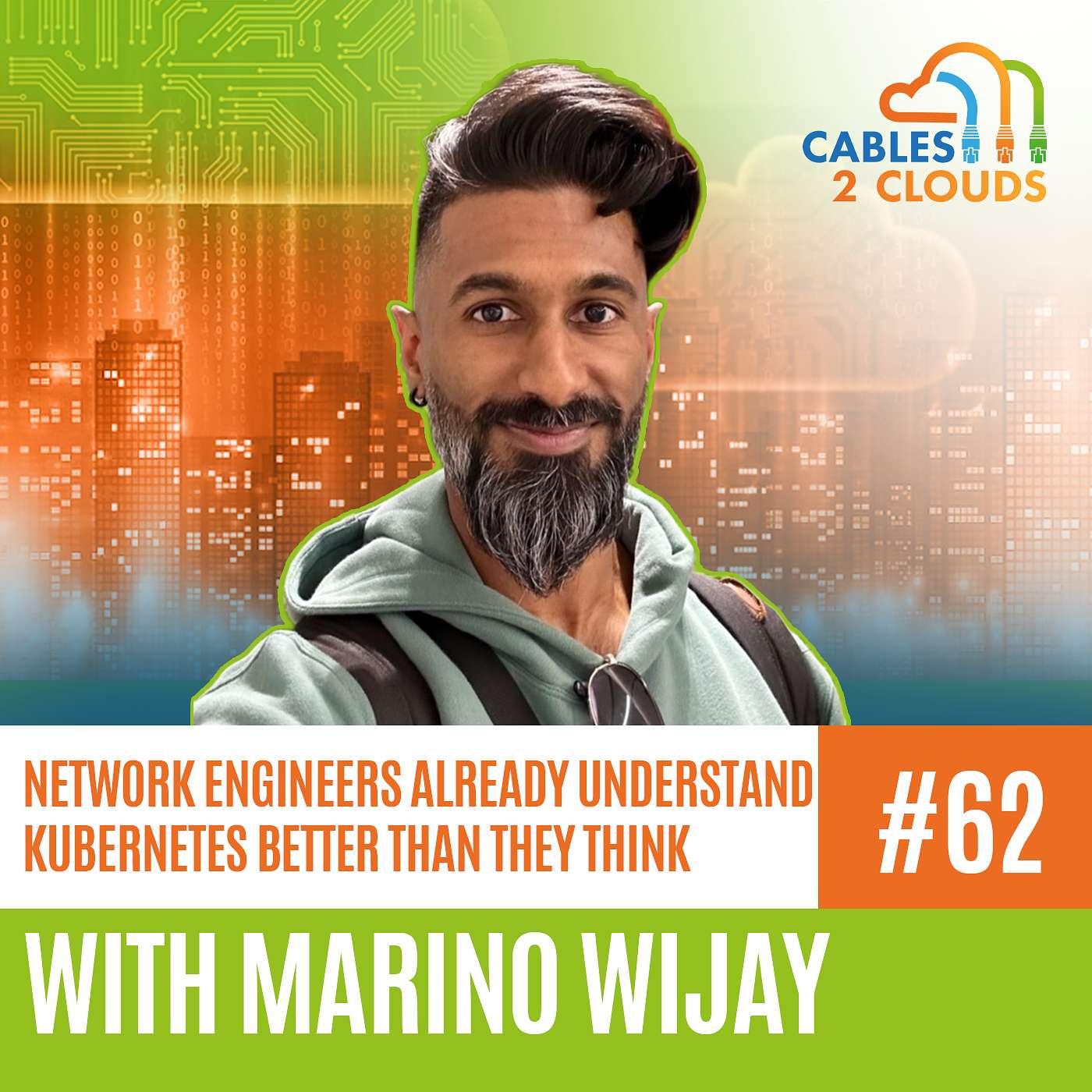
00:00:41.326So, uh, we have a a new guest with us, new to the podcast and very excited to get him.
00:00:41.326 -->
00:00:45.591Uh, here it's uh, marino Weijie, and we go ahead and uh just introduce yourself, marino, ouijie.
00:00:45.591 -->
00:00:48.765And go ahead and just introduce yourself, marino, for somebody who hasn't heard of you yet.
00:00:48.765 -->
00:00:49.686Yeah.
00:00:49.826 -->
00:00:54.445Thank you so much, tim Chris, appreciate it for inviting me to the show.
00:00:54.445 -->
00:00:55.908So my name is Marino Ouijie.
00:00:55.908 -->
00:01:04.248I am a Canadian, so I live up in Toronto and I'm a little bit of a techie.
00:01:04.248 -->
00:01:07.186I geek out every once in a while with the home lab and stuff like that.
00:01:07.186 -->
00:01:25.650But I'm deep into both the networking and the Kubernetes ecosystem and I found my way into the whole Kubernetes ecosystem through networking, interestingly enough, and because of that I figured it'd be great to just chat about it and see where the landscape is today and where it's going.
00:01:25.650 -->
00:01:28.028But a little bit about what I do.
00:01:28.028 -->
00:01:37.108I work at a company called Kong and I focus in on AI and API transactions, so a lot of higher level networking.
00:01:37.108 -->
00:01:48.664I don't really touch hardware, but I touch a lot of like Docker, kubernetes, various cloud systems as well, because I'm using the same networking principles that I would, just with APIs.
00:01:48.664 -->
00:01:50.266So that's a little bit about me.
00:01:51.108 -->
00:01:52.691Awesome and yeah.
00:01:52.691 -->
00:01:54.861So, marino, I think we wanted to.
00:01:54.861 -->
00:01:59.691We wanted to talk about Kubernetes and I love something.
00:01:59.691 -->
00:02:14.932So, you know, just, we reached out to you cause we you know, we've followed you for a while on LinkedIn, we love what you do and Kubernetes is so integrated with networking and when you replied and said, yeah, let's do this, that was actually one of the things that you brought up as well.
00:02:14.932 -->
00:02:23.409So, like, kubernetes and networking are so tightly coupled because of the distributed nature of Kube, so I think this is going to be a really, really good one.
00:02:23.409 -->
00:02:34.911So, let's, you know, we've talked about Kubernetes a few times on the show, but kind of what's, let's, let's, let's hear, I guess, just your take on Kubernetes to begin with and let's kind of go have a discussion from there.
00:02:35.680 -->
00:02:51.890So, if you think back to maybe 2017, at the time, Kubernetes was just a container orchestration system and all it really did was allow you to run containers at scale, and it was a very clean but also very manual environment.
00:02:52.032 -->
00:02:58.836Today, it does pretty much the same thing, but also is a platform for a variety of kinds of workloads.
00:02:58.836 -->
00:03:23.072We're talking like not only containers but VMs, but networks, but also bare metal, and it's just phenomenal to see the growth of that ecosystem, because when you think back to like, virtualization, that system was what vSphere so you might work with vSphere right and today Kubernetes has pretty much taken over that role.
00:03:23.072 -->
00:03:25.508Now there's just a lot of different implementations.
00:03:25.508 -->
00:03:27.187It's a very pluggable architecture.
00:03:27.187 -->
00:03:39.628So you're not only plugging in your workloads, you're plugging in network security, you're plugging in observability, you're plugging in various different systems just so that it can interact with Kubernetes.
00:03:39.628 -->
00:03:44.664You're even plugging in AI, and AI is also supported by Kubernetes as well in a lot of different ways.
00:03:44.664 -->
00:03:51.835So we're here at this stage where it's been adopted in so many different organizations.
00:03:51.835 -->
00:04:03.943In fact, you look at all the cloud providers and they have their own implementation of Kubernetes, which they roll, they scale, they manage for you, and all you do is you just run your containers or you run your workloads, basically.
00:04:05.566 -->
00:04:07.449Before we get too far into the networking side of it.
00:04:07.449 -->
00:04:08.491So what, what?
00:04:08.491 -->
00:04:09.453What I found interesting.
00:04:09.453 -->
00:04:17.187So I had to learn kubernetes and of course I'm still learning kubernetes, like everybody else's, as, as it continually changes, uh, you know for my job.
00:04:17.187 -->
00:04:23.473Uh, you know, of course, I work for aviatrix and you know where our focus is on cloud networking and security, um, and what that means.
00:04:23.473 -->
00:04:25.519You know where our focus is on cloud networking and security and what that means you know.
00:04:25.620 -->
00:04:28.208So basically, I had to take, you know, a networking background.
00:04:28.208 -->
00:04:33.110You know I'm a CCIE and almost pure networking, but also I used to be a firewall jockey.
00:04:33.110 -->
00:04:35.161So a little bit of cybersecurity, very little.
00:04:35.161 -->
00:04:43.709And then take all of that and be like, okay, well, now let's figure out Kubernetes, which of course feels like a completely new topic.
00:04:43.709 -->
00:04:45.213I did know Docker.
00:04:45.213 -->
00:04:51.271I'd used Docker years ago and so the concept of containerization, at least, was familiar.
00:04:51.271 -->
00:04:58.413But yeah, the orchestration platform of course feels very different, the way it's all orchestrated and built.
00:04:58.413 -->
00:05:05.512So it's really interesting for someone coming from a networking background to understand how Kubernetes is, how to use Kubernetes.
00:05:05.512 -->
00:05:07.456Essentially, you're absolutely right.
00:05:07.658 -->
00:05:19.432I mean, if you think about systems like OpenStack and vSphere and how they operated, they are very much distributed systems to just capitalize on the fact that you have all of these different resources available to you.
00:05:19.432 -->
00:05:27.314But you have to find a clean way to carve them out so your developers aren't screaming for resources when they need them.
00:05:27.314 -->
00:05:30.519You can just make it very easy for them to consume.
00:05:30.519 -->
00:05:37.134Now, what's really interesting about Kubernetes is that it heavily depends on networking.
00:05:37.134 -->
00:05:39.726I mean, if you don't have a network, there is no Kubernetes.
00:05:39.726 -->
00:05:45.192Yeah, and it's heavily reliant on this idea of reachability.
00:05:45.192 -->
00:05:46.966You've got this cluster.
00:05:46.966 -->
00:05:53.028This cluster is comprised of a number of nodes and these nodes all need to communicate with each other.
00:05:53.028 -->
00:06:01.209They need to exchange information, they need to identify when something's wrong so that they can tell another node hey well, I can't do anything anymore.
00:06:01.209 -->
00:06:02.625Can you take on the load?
00:06:02.625 -->
00:06:08.968And everything should still stay the same and look the same to a consumer, a developer, whoever.
00:06:09.189 -->
00:06:21.742And I guess I think in the early days of Kubernetes it was kind of, I mean, keep me honest here, but I think the idea was kind of more implicit networking, whereas like it was just kind of implied that everything is able to talk to everything.
00:06:21.742 -->
00:06:30.480And then once kind of networking and network security kind of got got a seat at the table, they're like hey guys, that's not really how these things should be operating.
00:06:30.480 -->
00:06:39.242You know, we should, we should you know kind of um, uh, make this a little bit tighter and at least a little bit more explicit about what is allowed to talk to what Um.
00:06:39.242 -->
00:06:45.634So I mean, in your experience, how has that kind of maybe evolved Kubernetes over time?
00:06:45.634 -->
00:06:54.449Has it become kind of this bigger beast and it's harder for people to handle with that type of control, or do you think it's been kind of for the better?
00:06:54.740 -->
00:06:56.663So when you think about Kubernetes for a second.
00:06:56.663 -->
00:07:01.533To your point right, it was very much just this black box that would run containers.
00:07:01.533 -->
00:07:11.863Networking in Kubernetes was a black box I wouldn't say static but you really couldn't do much with it.
00:07:11.863 -->
00:07:24.387You couldn't customize it a lot and the demands of the networking and security teams were like no, we need to be able to get in there and trace packets, we need to be able to see what's going on, we need to be able to have ports that are locked down and other ports that are open for this communication to occur.
00:07:24.387 -->
00:07:27.834And then oh, by the way, we also need to have a dashboard to see all of this as well.
00:07:27.834 -->
00:07:40.922So you start to see a transformation of the networking side of it, where it's growing to accommodate what network engineers want, but at the same time just aligning to what Kubernetes is.
00:07:40.922 -->
00:07:44.432So let's think about a workload and how it gets on the network for a second.
00:07:44.432 -->
00:07:48.870So you've got like a server that is connected to a network with, like Ethernet.
00:07:48.870 -->
00:07:52.805It gets its IP subnet mask gateway and now it's on the network.
00:07:52.805 -->
00:07:57.185You've got some DNS going on and now people can hit it without having to know the IP address.
00:07:57.185 -->
00:08:02.726That same concept exists inside of Kubernetes when you have a pod, that comes online as well.
00:08:02.726 -->
00:08:06.583Except there's also this concept of IPAM IP address management.
00:08:06.583 -->
00:08:11.444That comes about because it's not like someone is going there statically assigning IPs.
00:08:11.444 -->
00:08:20.115There's a system that has to assign these IPs, but then you also have these conditions of okay, if I assign IP addresses, how do I handle the DNS bit?
00:08:20.115 -->
00:08:26.833So then you have this system called core DNS or a DNS system that effectively looks and watches the system.
00:08:26.833 -->
00:08:28.206New workloads come online.
00:08:28.206 -->
00:08:36.114Well, let's go, you know, set up an A record and a PTR record so that services can communicate with each other, or pods can communicate with each other.
00:08:36.600 -->
00:08:44.913But one thing that the Kubernetes ecosystem really thought about, was very thoughtful of, is this concept of immutability and ephemerability.
00:08:44.913 -->
00:08:47.361Right, things can suddenly disappear.
00:08:47.361 -->
00:08:51.750Things also just simply cannot be changed easily.
00:08:51.750 -->
00:08:55.905Like we cannot go in here and modify a pod just like that.
00:08:55.905 -->
00:08:56.687Like we can.
00:08:56.687 -->
00:08:58.673But that's not the right way to do things.
00:08:58.673 -->
00:08:59.201That's right.
00:08:59.201 -->
00:09:03.989We have to be a little bit more declarative as to how we want desired state to look.
00:09:03.989 -->
00:09:10.106So this concept of FQDN became very important in the Kubernetes ecosystem.
00:09:10.106 -->
00:09:17.010Dns became very important, where you now have an abstraction layer where you can start swapping pods in and out, even notes.
00:09:17.010 -->
00:09:23.197You can swap these in and out and no one on the consumer side should ever see that anything changed.
00:09:23.197 -->
00:09:27.403Maybe they might see a slight blip, but nothing really changed there.
00:09:27.663 -->
00:09:33.767So this is interesting because I think a lot of network engineers probably already understand Kubernetes a little bit better than they think they do.
00:09:33.767 -->
00:09:46.868Like, for example, the concepts that you know you were just talking about Marinos, this is just DHCP with DNS registration, right Like that part of it should be very familiar to anyone who is a network engineer.
00:09:46.868 -->
00:09:54.029And to go back just a step before that, I think that you know the need for more.
00:09:54.029 -->
00:10:13.009What was the word I'm looking for For the more granular and more declarative networking stacks is what, of course, gave rise to like CNI, right, the container network interfaces, where now we're bringing this network layer observability, like with Cilium and Calico and so on and so forth.
00:10:13.921 -->
00:10:26.846The CNIs are just providing something that the original I don't know what you'd call it, the original branch, not branch a project the Kubernetes project didn't really envision application developers needing.
00:10:26.846 -->
00:10:31.488Right Like, app developers were never going to necessarily need that level of network observability.
00:10:31.488 -->
00:10:33.267They needed it, but they didn't understand it.
00:10:33.267 -->
00:10:34.323They didn't know they needed it.
00:10:34.323 -->
00:10:36.865You know what I mean Like.
00:10:36.865 -->
00:10:38.230So I think, do you think you know?
00:10:38.230 -->
00:10:43.005Cni is basically the method by which we get you know it up levels.
00:10:43.005 -->
00:10:48.186So think of it like an application is how I think of it.
00:10:48.186 -->
00:10:52.168I think of it like you're installing an application, essentially on the cluster that the application is, you know, in the kernel it's, it's, it's networking, but yeah, anyway.
00:10:52.349 -->
00:10:57.903Yeah, I mean, a CNI is just a switch at the end of the day, that's really what it's doing Replacing the bridge?
00:10:58.244 -->
00:11:02.813Yeah, yeah, it's a very multi-layer switch that's very capable of so many things.
00:11:02.813 -->
00:11:03.755It's pluggable too.
00:11:03.755 -->
00:11:09.207But what's interesting about what a pod is is it's a Linux network namespace.
00:11:09.207 -->
00:11:32.596And when you think about network namespaces, these are isolation boundaries that very much mimic this concept of a VLAN Not entirely one for one, but the idea of having that network namespace is to provide that isolation boundary for a set of containers that might need to talk to each other but still have some access to the network, some priority on the network, if you will.
00:11:32.820 -->
00:11:40.073Now, where we've gone with, like Calico and Cilium Cilium especially, I mean, if you've been watching the news, they got acquired.
00:11:40.073 -->
00:11:45.729Actually, the company that built Cilium got acquired by Cisco Isovalent yeah, isovalent, probably about two years.
00:11:45.729 -->
00:11:47.852Yeah, isovalent Two years ago.
00:11:47.852 -->
00:11:59.115Big fan of them, big fan of what they do and big fan of the Cilium CNI because it spoke to me as a network engineer, because it was able to do things like BGP, bgp.
00:11:59.115 -->
00:12:01.048Why do we need BGP in Kubernetes?
00:12:01.048 -->
00:12:09.014Well, if you have all of these different pod networks, I mean, someone outside of your Kubernetes ecosystem needs to be able to get to it.
00:12:09.014 -->
00:12:11.322So you're not just going to hand them a service IP and be on your way.
00:12:11.322 -->
00:12:18.046You've got to share those networks back into BGP and they need to distribute them to remote sites if you will.
00:12:18.046 -->
00:12:24.486And so they really touched on and were very thoughtful of how to build a CNI.
00:12:24.486 -->
00:12:31.331That was very network centric, still Kubernetes centric too, but the folks that engineered this were actually network engineers.
00:12:31.331 -->
00:12:38.884Yeah, they sat there behind the scenes and really thought like you know, what would a network engineer do to move these packets around?
00:12:38.884 -->
00:12:44.787But then we can get into like the nitty gritty of eBPF and how, like kernel based networking works.
00:12:44.787 -->
00:12:48.293But I think that would take a whole hour in itself.
00:12:49.041 -->
00:12:57.595But when you think about the networking part of Kubernetes, you're starting to see layers and layers and layers of abstraction going on here, because it doesn't stop there.
00:12:57.595 -->
00:13:02.408You've got a service mesh on.
00:13:02.408 -->
00:13:12.700If you're not familiar with it, or for the folks that listen on later on, if you think about what a vpn was aiming to do, it was supposed to securely connect branch locations.
00:13:12.700 -->
00:13:18.921And when you think about pods, for a second, they're in a way like their own little islands doing things.
00:13:18.921 -->
00:13:23.110They need to communicate with other islands as well, and you can truly do so.
00:13:23.110 -->
00:13:25.668Like if you think about the internet, if everything just talked over the internet.
00:13:25.668 -->
00:13:31.299Sure, everything would go through very cleanly, but in a very unprotected and plain text manner.
00:13:31.763 -->
00:13:47.552So the idea of service mesh was to not only provide a layer of encryption through something called mutual TLS, but also to add on to that network capability by bringing in this concept of QoS, but not traditional QoS.
00:13:47.552 -->
00:14:07.193Qos in the sense of let's just think about service resiliency implement things like timeouts, retries, inject faults, so we can add some artificial delay where we need to, and then also do things like hey, I'm going to roll out a new version of a service, something like a blue-green or a V1, v2.
00:14:07.193 -->
00:14:09.768Let's wrap to that appropriately.
00:14:09.768 -->
00:14:16.485And, by the way, we used to do these things as well with ALBs, with application gateways as well, and we still do.
00:14:16.485 -->
00:14:28.109It's just we brought this into Kubernetes because we needed a way to be able to handle this from a service-to-service standpoint we needed a way to be able to handle this one from a service to service standpoint.
00:14:28.129 -->
00:14:52.611I think of, uh, when I was trying to figure out what the hell service mesh was, the only the closest thing I could think of from a network engineering perspective was like here's an application layer software defined vpn mesh, basically like, like you know, with the whole concept of here's, here's a sidecar which is like your little tiny router or firewall or whatever you would call it VPN Terminator on the side that's allowing the applications to have protected connectivity with each other.
00:14:52.611 -->
00:15:01.018But it's all at the app layer from a communications perspective, right, because you can do all of these policies and stuff at the app layer.
00:15:01.018 -->
00:15:01.399Yeah.
00:15:02.482 -->
00:15:19.711You get to be a lot more granular because at this point you're communicating at either that TCP layer or HTTP, where you can get super granular, because now you can inject certain kinds of headers into your HTTP request and filter or provide policy against that.
00:15:19.711 -->
00:15:22.089You can bake your authentication in there as well.
00:15:22.089 -->
00:15:27.950There's just a lot of fancy things you can do with HTTP that you couldn't really do at the TCP layer.
00:15:27.950 -->
00:15:39.567Like you're kind of stuck, you're limited, it's very static, you're just working with IPs and ports and host names, but when you're talking about HTTP there's a lot of data you can feed into that entire request flow.
00:15:39.820 -->
00:16:05.083So service mesh became very popular but then also became problematic in its own way, because now it's just adding a significant amount of complexity and overhead as well, and so you have to think about your operations teams and what they have to take on as a burden to be able to support your applications running on top of Kubernetes or even other systems too, other systems that might be using a service mesh.
00:16:05.966 -->
00:16:35.278Now that we're on the topic of service mesh, I've seen like in my experience talking to a lot of customers and colleagues and things like that, there's kind of people in two camps that are running Kubernetes either in the cloud or wherever Either the ones that do not want to deal with the complexity of a service mesh they think that it's just too much for what they need to do and then the ones that are like some of them are begrudgingly implementing a service mesh and some of them are happily doing it.
00:16:35.278 -->
00:16:49.741But I guess in your experience, what have you seen as being that breaking point where a customer is like okay, we absolutely need to do this for this purpose ABC, enhancing our applications, enhancing the business, et cetera.
00:16:49.741 -->
00:16:52.214What does that typically look like to you?
00:16:52.544 -->
00:16:59.660The most common use case you find with companies wanting to or organizations wanting to use a service mesh really comes down to the security bit.
00:16:59.660 -->
00:17:13.845Right, they have this strong requirement to adhere to things like PCI, or they have to protect their workloads and how they communicate, and so MTLS becomes that initial pathway.
00:17:13.845 -->
00:17:22.371But then organizations also begin to realize how important the service resiliency also becomes, right, that QoS bit, if you will.
00:17:22.371 -->
00:17:30.426The problem is like if you think about when we were doing networking at the hardware level, like how often would you actually sit there and configure QoS?
00:17:30.748 -->
00:17:44.852The better answer would be yeah, like the better answer would be let's just throw more bandwidth or higher powered switch if there's a problem, right, and we're starting to see that same pattern arise, just in a different light, all over again.
00:17:44.852 -->
00:17:53.871Because no one wants to sit there and baseline their services and understand, like, the latency between their services in that service request flow.
00:17:53.871 -->
00:17:58.108And it takes a lot of tuning to set up that resiliency as well.
00:17:58.108 -->
00:18:05.451It's not easy to do because at a moment's notice, your requirements might change and then you have to change up everything all over again.
00:18:05.451 -->
00:18:14.532And you also have to pair this with your testing, your testing methodology too, which might not be like bulletproof and some things might slip through the cracks.
00:18:14.865 -->
00:18:20.238And when you think about scaling right, when you think about how Kubernetes operates, it scales.
00:18:20.238 -->
00:18:22.484It scales based off of certain triggers.
00:18:22.484 -->
00:18:35.096It scales your workloads because it determines hey, you know, you've gotten an increase of requests coming inbound now and I have to scale up right, but you cannot infinitely scale, so you've got to do other things too.
00:18:35.096 -->
00:18:47.926Anyways, like we can go on and on about this, but the reality is, if you're a large enterprise organization, chances are you're probably investigating or currently using a service mesh.
00:18:47.926 -->
00:18:49.730You wouldn't be using something open source.
00:18:49.730 -->
00:18:52.075You'd probably be using something enterprise.
00:18:52.556 -->
00:18:53.877No enterprise grade.
00:18:53.877 -->
00:19:02.291But the other thing, too, is most organizations that are much smaller walk away from service mesh because it's not warranted.
00:19:02.291 -->
00:19:10.867Within their organization, they have a better view of what their workloads look like, as well as their infrastructure, so they have a lot more control.
00:19:10.867 -->
00:19:20.646But when you're thinking about enterprise-wide scale, you have different teams needing to interact with each other, different applications doing different things, calling each other, if you will.
00:19:20.646 -->
00:19:27.669That's where that service mesh becomes very powerful and also very important and very useful as well.
00:19:27.849 -->
00:19:36.416Yeah, I can't think of a single enterprise that I'm aware of that actually has a working application catalog of like here's our, here's our apps.
00:19:36.416 -->
00:19:38.484Here's what's talking to what on what ports.
00:19:38.484 -->
00:19:42.215Here's the bandwidth requirements, here's the latency requirement.
00:19:42.215 -->
00:19:45.160None of that happens, right, it's always like oh, it's broke.
00:19:45.160 -->
00:19:49.011Oh, yeah, I guess we can't tolerate more than 50 milliseconds of latency.
00:19:49.011 -->
00:19:51.377Good to know, right, it's like that.
00:19:51.377 -->
00:19:55.296So, yeah, totally, totally, totally agree on that.
00:19:55.296 -->
00:20:18.612Another thing that I've noticed and it broke my brain when I was learning Kubernetes was the networking behind service, like services, like service IPs, how they can be shared between nodes and like you know how, like the, the cube control, uh, scheduler, and all of that like sets up the services and then, no matter which node you hit, you're gonna end up at a pot.
00:20:18.612 -->
00:20:20.577It's it's just, it's weird to me.
00:20:20.577 -->
00:20:26.601So I I still don't know a great way to explain that to people that haven't sat down and read it.
00:20:26.641 -->
00:20:41.637Basically, read through it to figure it out yeah, so a lot of this really comes down to NAT and saying to that requester or that consumer well, I'm going to NAT this request and then send it off to where that actual workload exists.
00:20:41.637 -->
00:20:52.726And you know, behind the scenes, depending on what CNI you're using, what underlay fabric you're using as well, a lot of that is just overlay and vx line networking.
00:20:52.726 -->
00:20:56.164At the end of the day, yeah, I mean that all sits behind the scenes and we just don't see it.
00:20:56.164 -->
00:20:58.531I mean, we don't even have to sit there and troubleshoot it anymore.
00:20:58.531 -->
00:21:03.776Um, our networks just take it, they just handle it at this point in time.
00:21:03.776 -->
00:21:05.140Um what?
00:21:05.140 -->
00:21:20.316What really comes down to it, though, is for network engineers out there, if you have a very clear understanding of how nat works, that's how the kube proxy works, that's exactly what's the kube proxy is doing not effectively and it knows where to direct workloads.
00:21:20.395 -->
00:21:23.410It uses a little bit of what they call ip tables.
00:21:23.410 -->
00:21:30.380So if you've ever worked in the linux space you probably have messed around with ip tables and more recently, nf tables.
00:21:30.380 -->
00:21:33.809Yeah, yeah it's just an enhancement.
00:21:33.809 -->
00:21:39.409Now, like psyllium uses ebpf to handle this, but at the end of the day, um all it's.
00:21:39.750 -->
00:21:52.078All that's really going on is a bunch of remapping and rerouting yeah, I seem to remember and again I'm so late to the game, but I seem to remember that, like IP tables was a huge, just a hog, like it was.
00:21:52.078 -->
00:21:53.627It was a problem like that.
00:21:53.627 -->
00:22:04.714One of the reasons that you know CNIs gained popularity was because you know IP tables could just be overrun essentially with the requests and mapping tables and just swapping, constant swapping.
00:22:05.016 -->
00:22:05.136It's.
00:22:05.136 -->
00:22:05.920It's a little.
00:22:05.920 -->
00:22:26.213It's a significant overhead overall, right, because you have a bunch of nodes in your cluster and they have the same set of IP rule tables or sorry, ip table rules and you're just thinking about a system that has to read down a list, find that entry and then route the request, which is not very efficient when you're talking about massive scale.
00:22:26.213 -->
00:22:44.797So a lot of CNIs have significantly improved upon that experience overall, but at the end of the day it's still a challenge and that's why we're seeing a migration over to NF tables, because it can process traffic a lot better and it can read rules.
00:22:44.797 -->
00:22:51.843It can write rules a lot better as well and it just does really well with connection handling a lot better as well, and it just does really well with connection handling.
00:22:51.863 -->
00:22:52.384Sorry, one sec, I lost the.
00:22:52.384 -->
00:22:58.809I accidentally closed the window with our list on it, so all right, hold on, let me pick up.
00:22:58.809 -->
00:23:02.154So actually, scale's a great segue, right?
00:23:02.154 -->
00:23:03.451So I don't think.
00:23:03.451 -->
00:23:24.250I think one thing network engineers that haven't really leaned into Kubernetes haven't really considered is the, not just the scale itself of Kubernetes, where you can have, you know, hundreds or potentially thousands of nodes and pods and all of this, but just how, from a networking perspective, that is even handled at the, you know, by Kubernetes.
00:23:24.250 -->
00:23:26.516So you know what does that look like Like?
00:23:26.516 -->
00:23:32.196You know, just to help the network engineers understand what scale looks like from that perspective.
00:23:32.396 -->
00:23:32.657Yeah.
00:23:32.744 -->
00:23:39.175So let's just say you're scaling workloads, right, you have a container and you need multiple copies of it.
00:23:39.175 -->
00:23:53.667In Kubernetes when you create a service type, it's actually a load balancer that's fronting these services with DNS and so by default it'll just round robin the requests out to each one of these containers, or pods, I should say.
00:23:53.667 -->
00:23:57.655But what actually causes the scale is triggers.
00:23:57.655 -->
00:24:07.270So within Kubernetes you have something called a horizontal pod autoscaler, which effectively helps with the scaling capabilities based off of certain conditions.
00:24:07.270 -->
00:24:13.808Okay, my CPU metric for all of my workloads, my replicas, has hit 80%.
00:24:13.808 -->
00:24:22.337Start scaling to a certain number of replicas and then the reverse, like once that demand goes down, scale back down.
00:24:22.578 -->
00:24:25.509Because the other thing that you have to consider too is your cluster right, which runs all of these containers.
00:24:25.509 -->
00:24:25.869It's not infinite.
00:24:25.869 -->
00:24:26.893You also have to consider scaling that up too.
00:24:26.893 -->
00:24:29.461And let's just take, you know, one of the major cloud, your cluster right, which runs all of these containers.
00:24:29.461 -->
00:24:29.863It's not infinite.
00:24:29.863 -->
00:24:32.051You also have to consider scaling that up too.
00:24:32.051 -->
00:24:35.946And let's just take, you know, one of the major cloud providers out there.
00:24:35.946 -->
00:24:45.923When you have to scale your cluster, it's not just a simple hey, I'm going to throw a node in here and then boom, now I have more compute and CPU and memory capacity.
00:24:45.923 -->
00:25:01.497It actually has to bootstrap it, it has to bring it online, it has to do a bunch of validation checks to make sure that the node itself is working and can actually accept workloads, and then, once it's in the cluster, joined to the cluster, you can start scaling your workloads.
00:25:01.497 -->
00:25:03.229So there's it's a twofold operation.
00:25:03.229 -->
00:25:06.977But the other part to this too is the load balancer right.
00:25:06.977 -->
00:25:20.611So you have an internal load balancer and then, if you are exposing your services, you'll probably use an external load balancer as well that just again accepts the connections and then distributes them to all available copies or any available copy.
00:25:20.611 -->
00:25:29.532But what's interesting is that the way to operate these systems is not just by like turning on your HPA and being on your way.
00:25:29.532 -->
00:25:33.015You actually have to understand how your workloads operate.
00:25:33.404 -->
00:25:37.737What might be considered demand also could be considered a denial of service attack.
00:25:37.737 -->
00:25:45.951Let's just say, you know, around the holidays is when we expect to see traffic spikes and we expect to see increased load.
00:25:45.951 -->
00:25:54.753But it's not so difficult for someone to just create a denial of service attack, slip it into that same period of time and no one really think about it.
00:25:54.753 -->
00:26:03.990And then, all of a sudden, if you haven't set your let's say, your cloud bills or alarms properly, and you also haven't set your scaling limits, well, guess what?
00:26:03.990 -->
00:26:07.768Now you have a million dollar cloud bill that you have to take on and worry about.
00:26:08.449 -->
00:26:13.521So there are other mechanisms that you can employ to be able to handle that too, things like rate limiting.
00:26:13.521 -->
00:26:22.770Rate limiting is important because, as you start to see scale, you'll allow a certain number of requests to make it into your cluster before you hit a capacity.
00:26:22.770 -->
00:26:36.009But that rate limit is supposed to prevent something like a denial of service attack, because now, once you start to see an anomaly of requests coming inbound, wherever you've implemented that rate limiter, normally it's not at the load balancer.
00:26:36.009 -->
00:26:41.307You do it somewhere like a WAF or maybe even like an API gateway or something of sorts.
00:26:41.307 -->
00:26:47.048That's where that rate limit kicks in, so you don't run into a scaling infinite scaling situation.
00:26:47.048 -->
00:26:49.453So that load balancer is important.
00:26:49.453 -->
00:26:50.817It's just distributing load.
00:26:50.817 -->
00:26:54.211But you also have to rely on telemetry data.
00:26:54.211 -->
00:26:58.269That telemetry data is what's enabling that scale to be possible as well.
00:26:58.711 -->
00:27:00.865I mean, that's very cloud, Sorry go ahead, go ahead.
00:27:00.885 -->
00:27:03.515I was going to say, yeah, the DOS thing is kind of.
00:27:03.515 -->
00:27:25.454I feel like that just has a lot of parallels to a normal denial of service, right, like, if you think of like these, you know a lot of carriers offer, like denial of service, scrubbing services, right, because the thing is, if you buy a circuit from someone and they hand you basically a wire, once the traffic's on your end of the wire, there's no way to stop it.
00:27:25.454 -->
00:27:26.498It's already there, right?
00:27:26.498 -->
00:27:28.910So you've got to with Kubernetes.
00:27:28.910 -->
00:27:34.553It sounds like you've got to use some of these external things, as well as maybe some of the internal components, to stop it.
00:27:34.553 -->
00:27:41.217Before you know, it causes Kubernetes essentially to think that the trigger has been invoked, right?
00:27:41.217 -->
00:27:43.752So I think it's exactly the same.
00:27:44.247 -->
00:27:45.625It's very much the case, right?
00:27:45.625 -->
00:28:11.236I mean, whether you're in the cloud, even outside of Kubernetes as well, straight up operating in the cloud, you're going to run into the same challenges as well, because your resources, you're exposing them to public customers, public consumers, and unless you're implementing some strong authentication and you're not just freely exposing all of your APIs to everyone, you're likely going to run into situations like that.
00:28:11.236 -->
00:28:13.794But again, we've learned from this.
00:28:13.794 -->
00:28:20.556We've built a lot of practices around these situations and how to design for and build for these situations as well.
00:28:21.184 -->
00:28:44.382So, speaking of because this is also a really good segue I mean, we're talking about scale here, right, and nothing has shown to stress scale lately more than the deployment of AI workloads and high-performance computing and GPUs and all the stuff associated with doing a lot of data very quickly and a lot at scale.
00:28:44.382 -->
00:28:47.025So people are doing this in Kubernetes.
00:28:47.025 -->
00:28:56.527I don't know which pieces they're doing in Kubernetes actually of the AI stack.
00:28:56.527 -->
00:28:57.148You know from their training.
00:28:57.148 -->
00:28:59.518I'm not sure exactly what it is that they're doing, but you know actually what does that look like?
00:28:59.518 -->
00:29:00.260Do you have any idea?
00:29:00.260 -->
00:29:02.594Like what people are doing with AI and Kubernetes now?
00:29:03.244 -->
00:29:07.854Yeah, before it used to just be running systems and workflows.
00:29:07.854 -->
00:29:18.756That would have some engines that are just doing training, running training models within your cluster as well, and you would still need some pretty high-grade hardware and GPs to be able to handle that.
00:29:18.756 -->
00:29:20.784But we're well past the training.
00:29:20.784 -->
00:29:22.047We still do that training.
00:29:22.047 -->
00:29:24.353We still see it in Kubernetes.
00:29:24.353 -->
00:29:34.153There's a project out there like Kubeflow which definitely helps with setting that all up and helping you set up workflows to be able to ingest different training situations.
00:29:34.153 -->
00:29:54.035But what's actually happening now is you're actually running models inside of Kubernetes, and not only that, like it's not just a cloud, it's not just I'm going to go to a cloud provider, spin up a Kubernetes cluster and then run my model there, Because the reality is they're not giving you the best of the best CPU memory.
00:29:54.035 -->
00:30:00.377It's all shared resources and what you're actually starting to see is that clusters need to have access to a GPU.
00:30:01.823 -->
00:30:02.265That makes sense.
00:30:02.806 -->
00:30:08.057GPU enabled and you need to effectively be able to pass that GPU through to your workload.
00:30:08.057 -->
00:30:16.880So if you're running a model as a pod, it needs access to the GPU and it's not just a let's just set up a GPU pass-through capability.
00:30:16.880 -->
00:30:27.112It also means that you're passing a lot of networking traffic too, so now your CNIs are being updated to handle that kind of traffic as well.
00:30:27.112 -->
00:30:34.173There's something called dynamic resource allocation, DRA, and DRA in Kubernetes is effectively prioritization.
00:30:34.173 -->
00:30:36.834It's QoS for AI and LLM.
00:30:37.605 -->
00:30:39.633Yeah, for hardware and model traffic.
00:30:39.633 -->
00:30:43.234So you have a few models that are running on top of Kubernetes clusters.
00:30:43.234 -->
00:30:46.153It's expensive because GPUs are expensive.
00:30:46.153 -->
00:30:58.499Um, but you also have to think about that cost control too, because this is a great way to have that million dollar cloud bill that you probably couldn't even you know, conceive that you never, even thought of or planned for.
00:30:59.247 -->
00:31:00.453But you have a team of developers.
00:31:00.453 -->
00:31:04.313They need to build, they need to run their models, they need to test out how these models operate.
00:31:04.313 -->
00:31:08.753They're doing very unique things and they're consuming a lot of GPU power.
00:31:08.753 -->
00:31:10.230It's not so much about compute anymore.
00:31:10.230 -->
00:31:22.105It's about access to good quality GPUs that can process thousands of tokens per second not just five, but thousands, right and that's not cheap right Now.
00:31:22.105 -->
00:31:40.590The other side to that, too, is we're seeing that only because what happens is you have teams that just go the shadow AI route, go to open AI, go to cloud or anthropic, pull their API keys and just like keep adding credits.
00:31:40.691 -->
00:31:41.834Just add credits, yeah.
00:31:42.034 -->
00:31:43.417That's it Right, consume the APIs.
00:31:43.417 -->
00:31:44.630But here's the problem with that.
00:31:44.630 -->
00:32:00.909So you're starting to enable these developers to just send PII, send IP, out into these models without like clicking the right compliance and guardrails that needs to be in place.
00:32:00.909 -->
00:32:05.057And so to control that there's a few ways, like you know.
00:32:05.057 -->
00:32:19.258You can use something like an AI proxy or an AI gateway, or you own the models on-prem, where you decide I'm going to just build my cloud on-prem all over again and then I'm going to send my developers to use local models.
00:32:19.538 -->
00:32:32.260Yeah, they can certainly pull models down and train them if they want to customize them to their needs and still have their applications communicate, do the things that applications can do.
00:32:32.260 -->
00:32:35.330This is all like agent to agent stuff now yeah of course.
00:32:35.652 -->
00:32:44.931At the end of the day, like you, it becomes almost impossible to scale GPUs because now you have another problem of electricity bills going through the roof.
00:32:44.931 -->
00:32:49.008Providers are not going to come after you because you're using GPUs.
00:32:49.008 -->
00:32:54.471They're coming after you because their electricity bills, their HVAC bills, are through the roof.
00:32:54.471 -->
00:32:58.269So now you have other systems that come into play here.
00:32:58.269 -->
00:33:09.919Right, when you think about what Apple's doing, especially with their Apple Silicon chip, right, they're basically enabling GPU building on their devices.
00:33:09.919 -->
00:33:14.192Like, I've got this M4 that I'm basically working off of right now.
00:33:14.192 -->
00:33:23.651That's where the stream is going on, or where our recording is going on, and I've got a few models running behind the scenes here and I don't hear any fans.
00:33:23.651 -->
00:33:24.712Do you hear any fans?
00:33:24.712 -->
00:33:28.353No, right, but that's the direction they're trying to go.
00:33:28.505 -->
00:33:51.884In fact, there was a Twitter post, probably maybe two months ago, where someone had just bought a bunch of mac minis, m4 based mac minis, racked them up, used a usbc or or what is it, thunderbolt 5 to connect them all up and they had, like you know, I think, more than 100 gigs of bandwidth between each of these nodes.
00:33:51.884 -->
00:33:55.412But now you have this super cluster of Macs that's running.
00:33:55.412 -->
00:34:06.788You know, you don't have a lot of the same constraints or considerations around HVAC and it becomes a very powerful style of cloud.
00:34:06.788 -->
00:34:08.472And then you find out like Apple's got their own container runtime now, right.
00:34:08.472 -->
00:34:16.358So now you start to see that they're really trying to advance the developer game, especially when it comes to AI and working with LLMs.
00:34:17.626 -->
00:34:18.411Yeah, that's interesting.
00:34:18.411 -->
00:34:26.114I think and we've done a couple shows on, basically, what does it look like to build an AI data center for, like, what's the new and exciting?
00:34:26.114 -->
00:34:33.329And I think anything we have come up with is something it will change, because the technology has to change, because what is it?
00:34:33.329 -->
00:34:40.309Moore's law we're getting so far ahead of Moore's law at this point, like it's it's going to take a while, but figure out what the next iteration of that is.
00:34:40.309 -->
00:34:47.367Um, but yeah, so no, that that's that's really, that's really good, and uh, one thought about that.
00:34:47.447 -->
00:34:48.849Do you remember infiniband?
00:34:49.088 -->
00:34:49.489Yeah, yeah.
00:34:49.889 -->
00:34:51.070Yeah Right, rdma.
00:34:51.070 -->
00:34:54.813All of a sudden, they're reentering the space all over again.
00:34:54.813 -->
00:34:57.556They're becoming popular all over again.
00:34:57.596 -->
00:34:58.195It's circular.
00:34:58.195 -->
00:35:03.340As the technology hits limits, we explore what if we tried before, is it going to work better?
00:35:03.340 -->
00:35:05.041Can we do it better this time?
00:35:05.041 -->
00:35:11.605Definitely agree, okay.
00:35:11.605 -->
00:35:12.788So I think actually we need to wrap up.
00:35:12.788 -->
00:35:15.797So before we do, marino, marina, where can, where can people find you on the web?
00:35:15.797 -->
00:35:18.132Where should they, uh, follow you and interengage with you?
00:35:18.715 -->
00:35:21.324So I am active pretty much everywhere.
00:35:21.324 -->
00:35:39.800Uh, mostly LinkedIn, a little bit of Twitter, x, um, I, I mean, I, I, I do more trolling on Twitter and X more than I do the professional stuff, right, um, but if you, if you want to connect with me professionally and see some of the work that I'm working on or some of the projects that I'm working on at the moment, come hit me up there.
00:35:39.800 -->
00:35:41.731You can literally look me up by my name.
00:35:41.731 -->
00:35:42.735I'm there as well.
00:35:42.735 -->
00:35:46.114I use Discord, but I just like kind of lurk.
00:35:46.114 -->
00:35:49.434I'm not really big on like heavily contributing.
00:35:49.724 -->
00:35:54.409But one thing I would recommend folks to do is I go to KubeCon a lot.
00:35:54.409 -->
00:35:59.114Right, I try to go to every event that's out there in North America and Europe.
00:35:59.114 -->
00:36:03.298I'm trying to get to, like some of the, you know, japan and China.
00:36:03.298 -->
00:36:11.135Maybe next year we'll see, yeah, and if you're, if you're planning to go out that way, definitely hit me up.
00:36:11.135 -->
00:36:14.809Let's connect for a bit, let's chat and even go check out those sessions.
00:36:14.809 -->
00:36:20.900There's a lot of new AI based sessions and you can see the intersection of what Kubernetes is doing with AI as well.
00:36:21.184 -->
00:36:25.856Awesome, and we'll get all that in the show notes as well, so everybody doesn't have to have to memorize it.
00:36:25.856 -->
00:36:27.346Absolutely All right.
00:36:27.346 -->
00:36:30.045Well, thanks for joining us today, marina.
00:36:30.045 -->
00:36:31.750This has been an awesome discussion.
00:36:31.750 -->
00:36:35.597We'll have to have you, have you back and expand on it in a month when everything changes.
00:36:35.597 -->
00:36:40.476I'm just kidding, but yeah, no, this is great.
00:36:40.476 -->
00:36:41.177Any final thoughts?
00:36:41.545 -->
00:36:51.471Yeah, I think that everyone at this point should start considering how they can involve the usage of AI in their workflows, in the way they build.
00:36:51.471 -->
00:37:15.472I mean, all it takes is go, download Alama and run a model locally and then, if you want to take that a step further, pair that with Open Web UI or WebKit and if you want to take that even further, check out Alam Studio, because I think not everyone's got the capability to go out and source an API key and then start building with public models and at the same time they might have some restrictions as well.
00:37:15.472 -->
00:37:28.885But if you've got a very recent Mac or some sort of ARM-based device, you can do some serious damage with some of those models out there, some of the little ones yeah, definitely agree with that, For sure.
00:37:29.427 -->
00:37:30.748Awesome, all right.
00:37:30.748 -->
00:37:44.871Well, this has been Cable's Cloud Podcast and I was going to say enjoy everything we do and subscribe to us on everything, but obviously, if you're listening to us, you probably already did that, so instead, of you subscribing, I'd say don't enjoy everything we do.
00:37:44.891 -->
00:37:46.257We don't get it right every time.
00:37:46.278 -->
00:37:48.289No, no everything To enjoy everything we do.
00:37:48.289 -->
00:38:01.023It's a requirement, but yeah, if you liked it, at least share it with a friend, maybe several friends and, yeah, we'll see you guys next time.
00:38:01.063 -->
00:38:01.364Thanks everyone.